Skip to content
← All Work

An AI career coach members build themselves

Job seekers lacked confidence and direction. I designed a coach they shape (its style, personality, look and name) that keeps them company through the search.

Animated redesign concept of the Career Coach onboarding: the member tries a few coaching styles and personalities while a preview shows how the coach will talk, settles on Motivational and Warm & Friendly, browses the coaches and comes back to the one that matches, names her Jaycee, and sees her introduce herself.

The company
Jobcase is a platform dedicated to empowering workers, with over 100 million members. Jobcase has since changed leadership and stepped back from agentic AI, so these screens take what we shipped further, as if we’d kept building on that platform.
The challenge
Members didn’t know how to start their search, and job platforms didn’t feel like they were in their corner.
What I solved
A coach members build themselves, choosing its style, personality, look and name, that guides their search in chat.
My role
Senior Product Designer. I led design of onboarding, the coach chat and the persona library, through two concepts and a focus group.

How it performed

3×

Engagement for coach-guided members

+22%

Job applications

1 in 3

Talked to their coach daily in the first 15 days

85%

Kept their original coach after a week

Animated redesign concept of the Career Coach onboarding: the member tries a few coaching styles and personalities while a preview shows how the coach will talk, settles on Motivational and Warm & Friendly, browses the coaches and comes back to the one that matches, names her Jaycee, and sees her introduce herself.

Above is the coach I’d love to have shipped.

This version builds each member a coach from their own choices, learns their work through plain conversation, and brings jobs back as cards they can act on.

I scoped our first release to an MVP, the same flow on simpler screens, so members had a coach sooner and we could learn from real use. The process below shows how we got there.

Process

Problem

Members lacked confidence and direction. Traditional job platforms didn't feel like they were in their corner.

Many members didn’t know how to start, lacked guidance, or didn’t feel represented by job platforms. Leadership wanted something personal, supportive and approachable.

The People We Set Out To Help

At Jobcase, our members aren’t one audience.

I designed for three Jobcase personas: Connected and Confident retail workers after less stress, Experienced and In Demand pros chasing growth, and Overworked and Over It parents who need flexibility.

Connected and Confident

“Finding another customer support job is easy, but I’d prefer less stressful and more interesting work.”
Age
18–34
Income
$35K
Education
High school diploma
Jobs, last 12 mo
2–3
Household
Rents or lives with parents
Most likely to work in
Retail, food service, driving, customer service

Concerns

  • Switching to a more desirable career path
  • Burnt out by interacting with customers

Experienced and In Demand

“I’m looking for growth and for like-minded people that have a passion for it. I’m also looking for a good team and manager.”
Age
35+
Income
$48.5K
Education
Bachelor’s degree
Jobs, last 12 mo
1+
Household
Lives alone
Most likely to work in
Construction, manufacturing, IT

Concerns

  • Keeping skills up to date
  • Finding a team they enjoy working with
  • Low pay for the skills required

Overworked and Over It

“My most important job is being a mother, so when searching for work I prioritize schedule flexibility.”
Age
25–45
Income
$42.9K
Education
Associate’s degree
Jobs, last 12 mo
1–2
Household
Rents or lives with parents
Most likely to work in
IT, warehouse, hotel, food service

Concerns

  • Stress with making ends meet
  • Schedule flexibility to care for family
  • More variety in their every day

Design Goals

Three things had to be true for the coach to work.

  • Build an AI coach that could actually handle the range of issues workers bring to a job search, not a generic chatbot wearing a coaching hat.
  • Give members real control over their coach's personality and coaching style, so the experience felt like theirs from the first interaction.
  • Use AI tooling to design the coach's visual identity, so the library could be diverse and representative without blowing the budget.

Wireframe Explorations

Two ways to meet a coach

I framed onboarding as two bets: configure the coach like a product, or meet it like a person. Both were wireframed end to end and judged on one question: how fast does a member believe it can help?

Concept 1

Pick your preferences, then meet your coach

Onboarding as a short run of native screens. Members choose a coaching style and a personality up front, get matched to a coach, then drop into chat for intake and a first task.

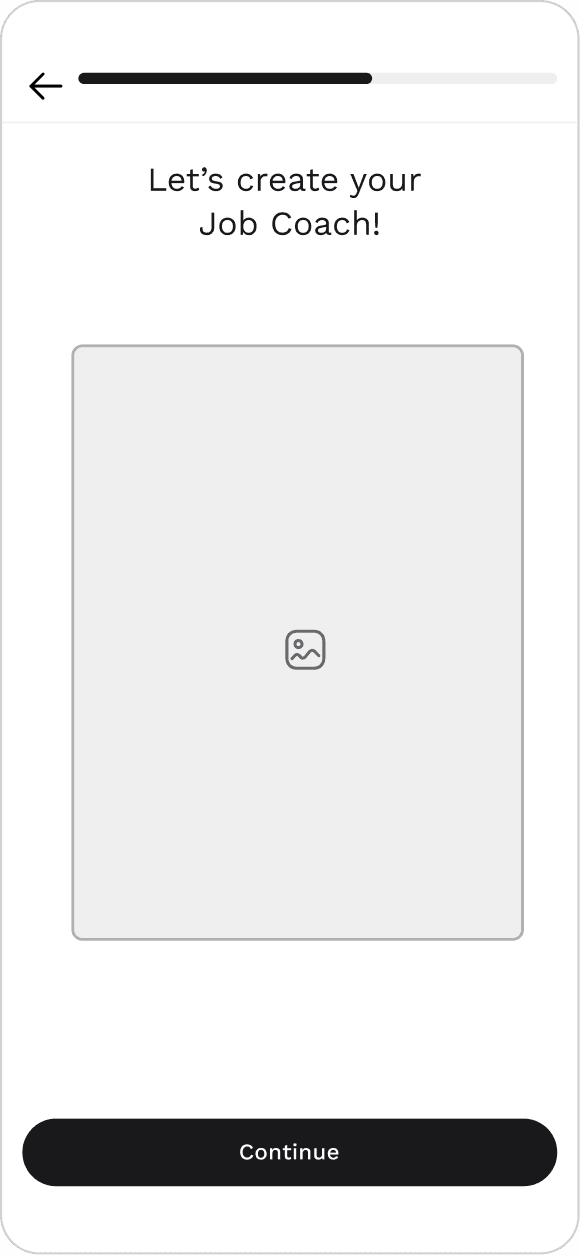
Concept 1 wireframe: Set the stage
1. Set the stage. Frame why a coach exists before asking for any choices. Feedback from review: sell the value first.
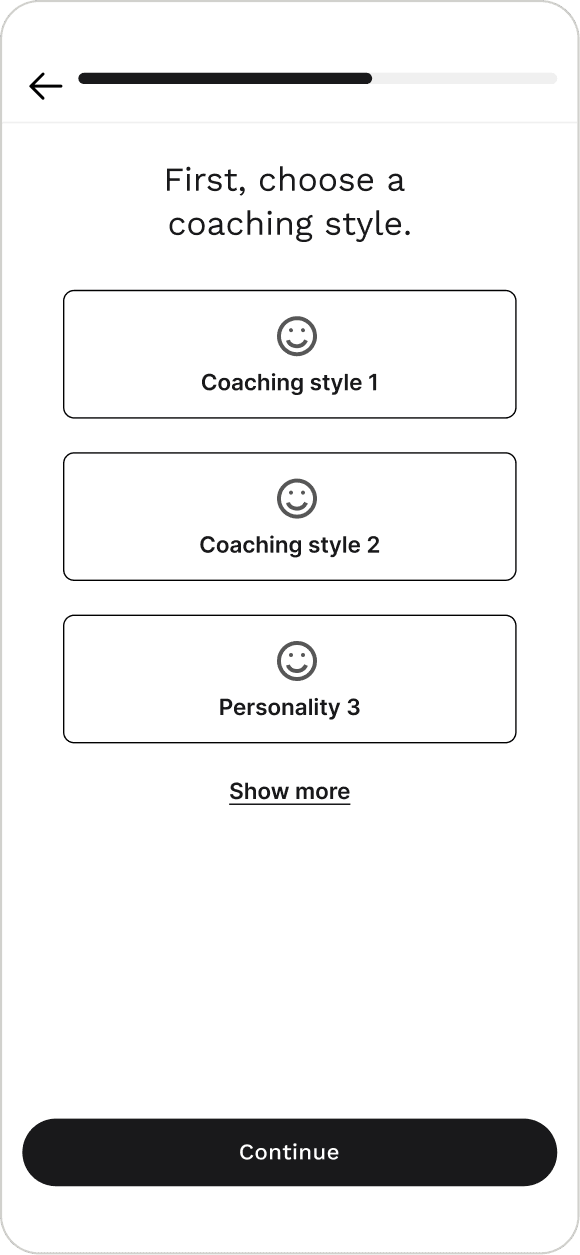
Concept 1 wireframe: Coaching style
2. Coaching style. Three styles as tappable cards. Tone is decided before personality so later copy can flex to it.
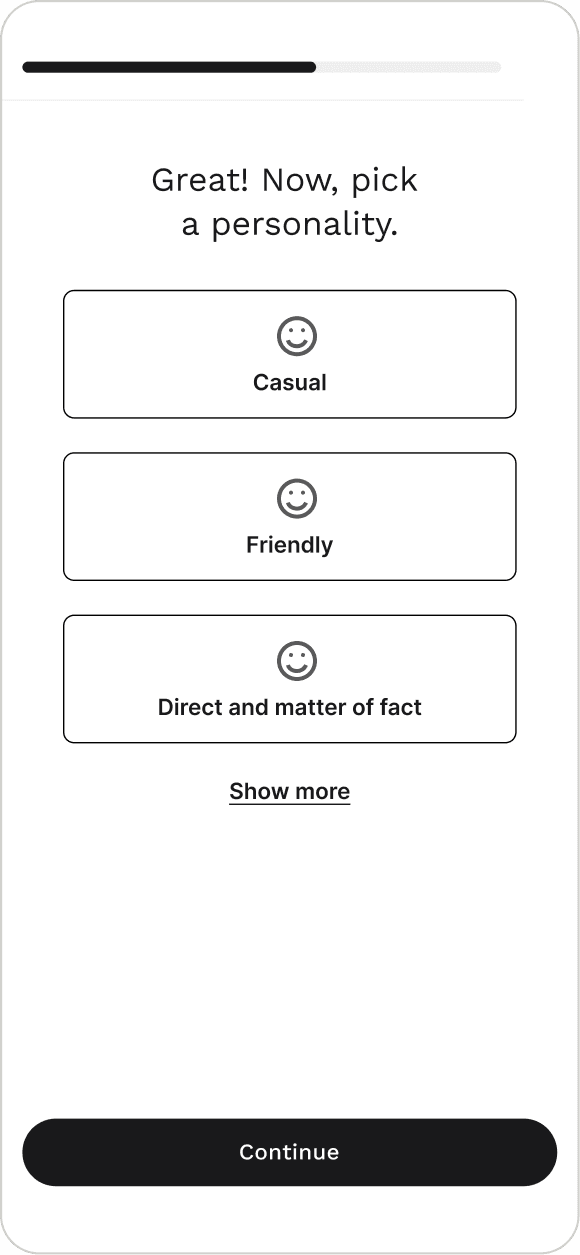
Concept 1 wireframe: Personality
3. Personality. Casual, friendly, or direct. Demographic matching (age range, gender) was explored here and cut.
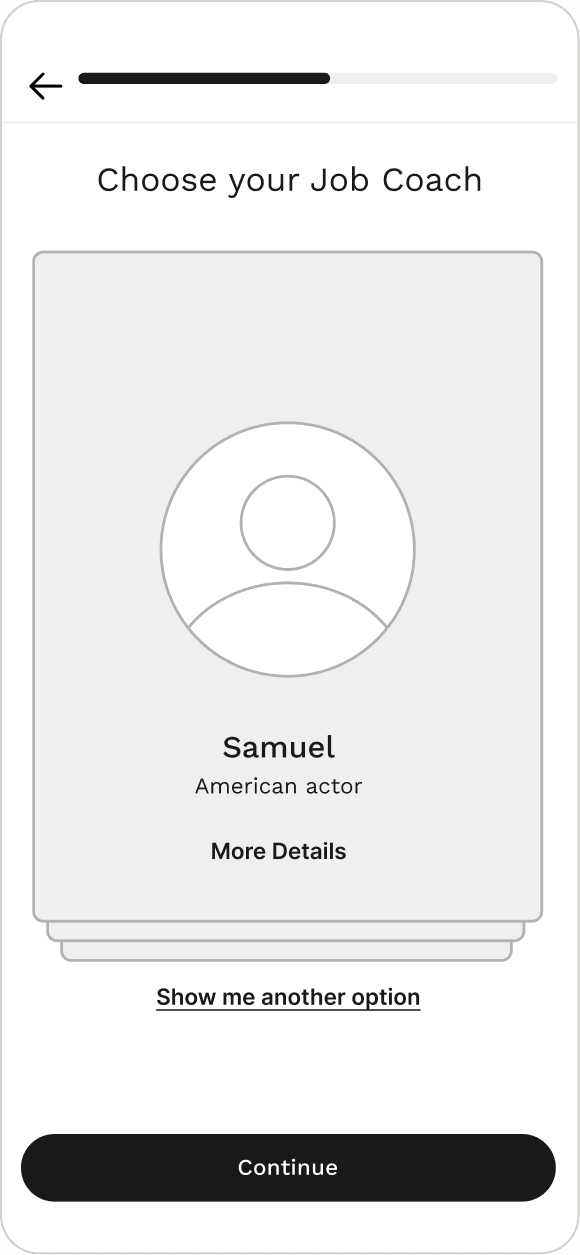
Concept 1 wireframe: Meet your coach
4. Meet your coach. A matched persona with a name and short backstory, plus a Show me another option so the match never feels forced.
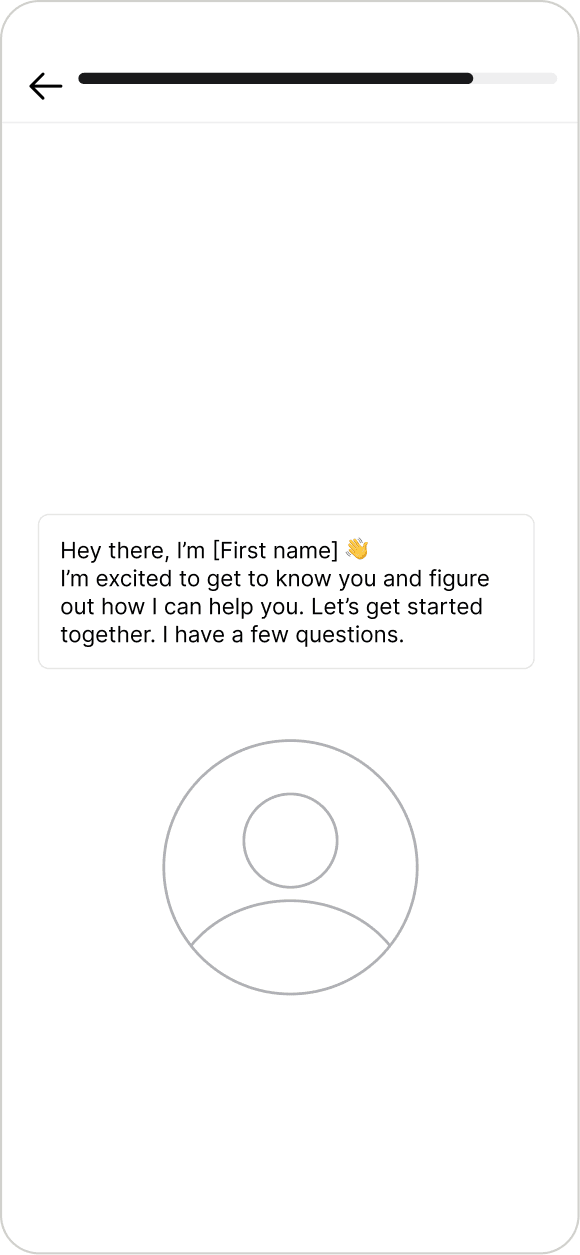
Concept 1 wireframe: First words
5. First words. The coach introduces itself and sets up the intake. This is the first moment it speaks.
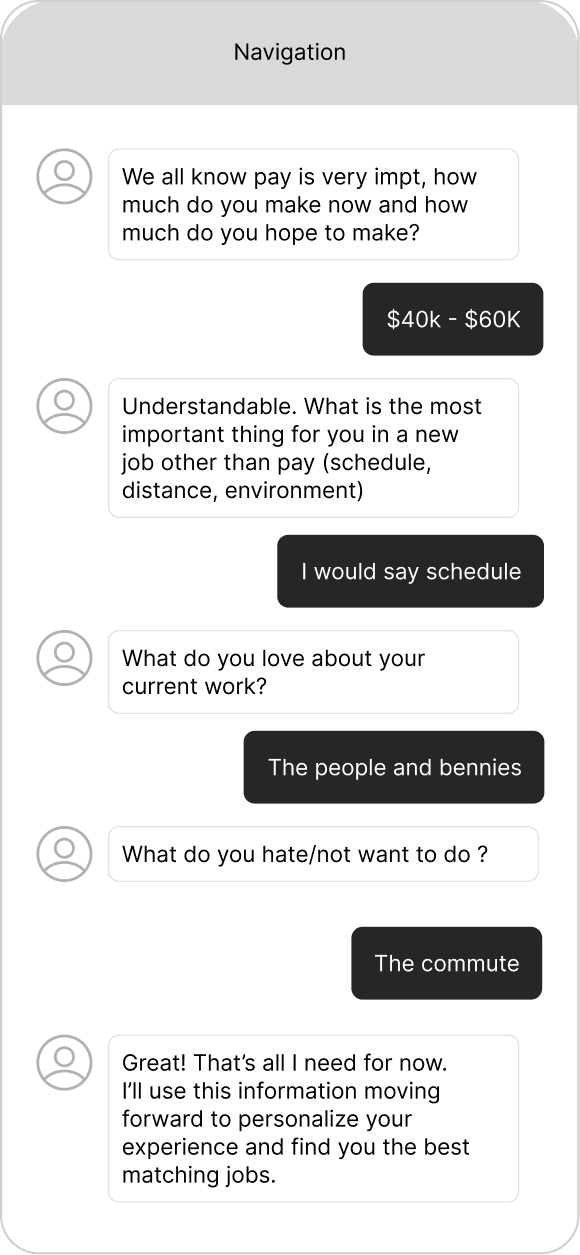
Concept 1 wireframe: Intake, open input
6. Intake, open input. Free-text questions on pay, priorities, likes and dislikes. An affirmation follows every answer.
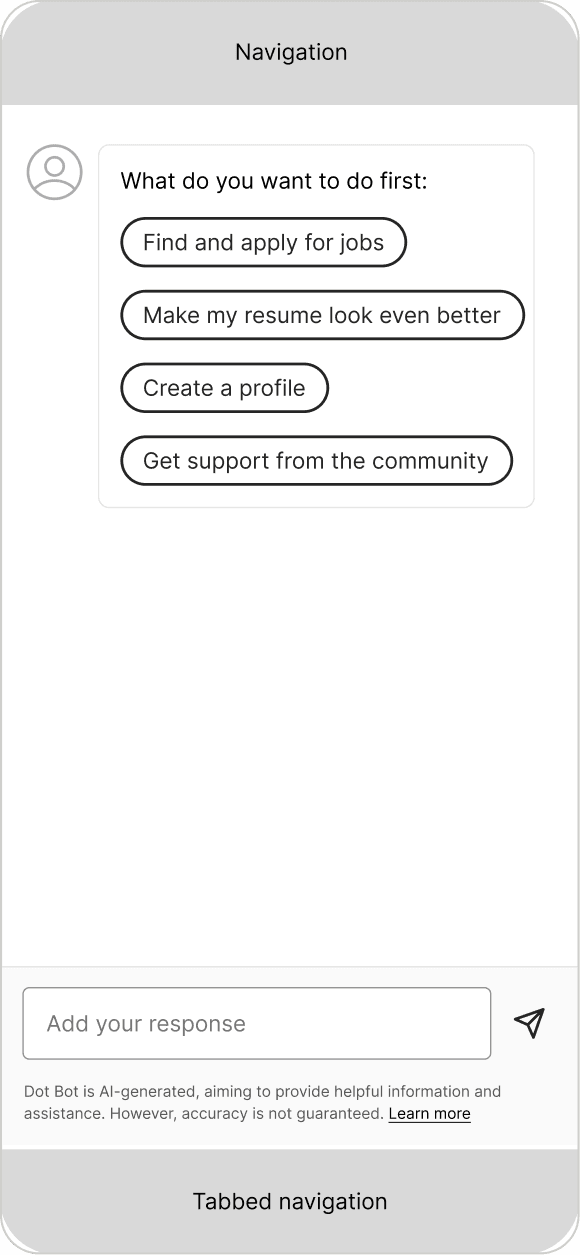
Concept 1 wireframe: First task
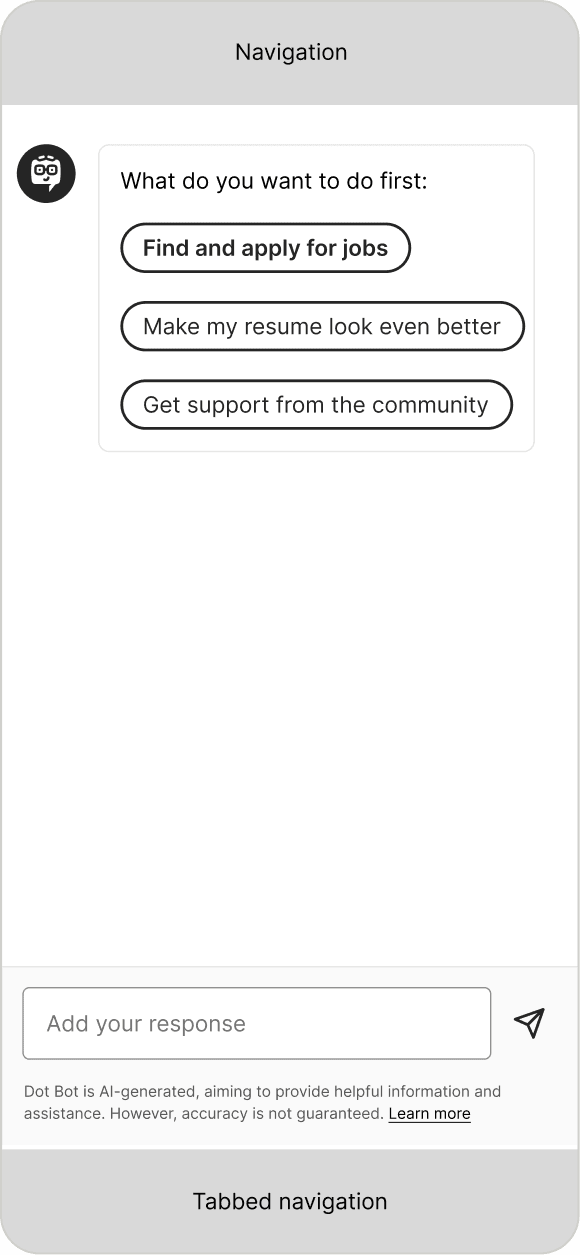
7. First task. The welcome message ends in buttons, not links. Members pick a path instead of typing one.

Hypothesis

Familiar tap-to-select screens would lower the barrier, so more members reach their first chat.

Where it won

Fast and predictable. Choosing style and personality first set expectations for how the coach would talk.

Where it broke

Members were handed a coach instead of building one, so it never quite felt like theirs.

Concept 2

The whole onboarding is the conversation

No setup screens. The coach is present from the very first message and collects style, personality, and intake inside the chat, using closed inputs so nobody has to type until they want to.

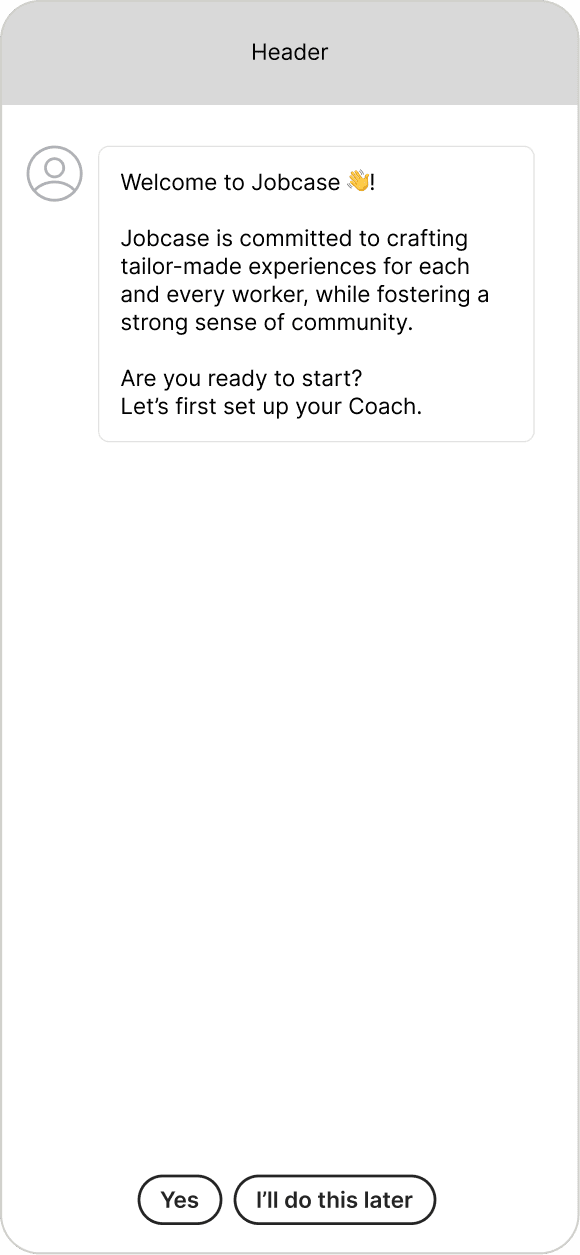
Concept 2 wireframe: Context setting
1. Context setting. A short Jobcase intro, then one ask: are you ready to build your coach? Yes, or I’ll do this later.
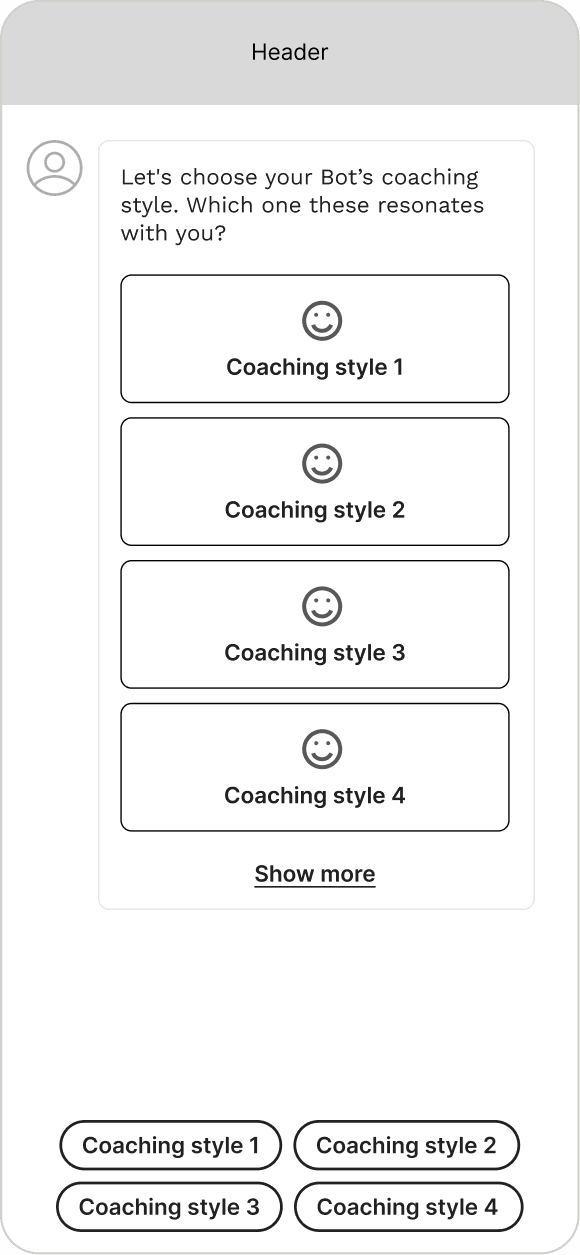
Concept 2 wireframe: Coaching style
2. Coaching style. Style cards live inside the thread, with quick-reply chips underneath so the answer is one tap.
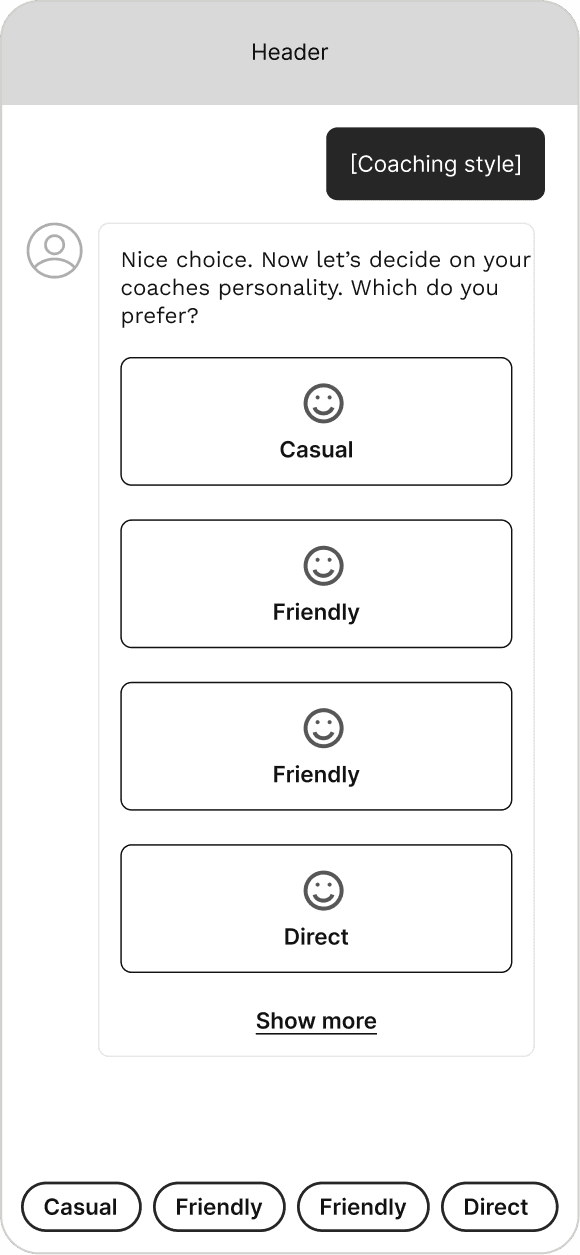
Concept 2 wireframe: Personality
3. Personality. Same pattern. Chips keep the input closed, so there is no open text box this early.
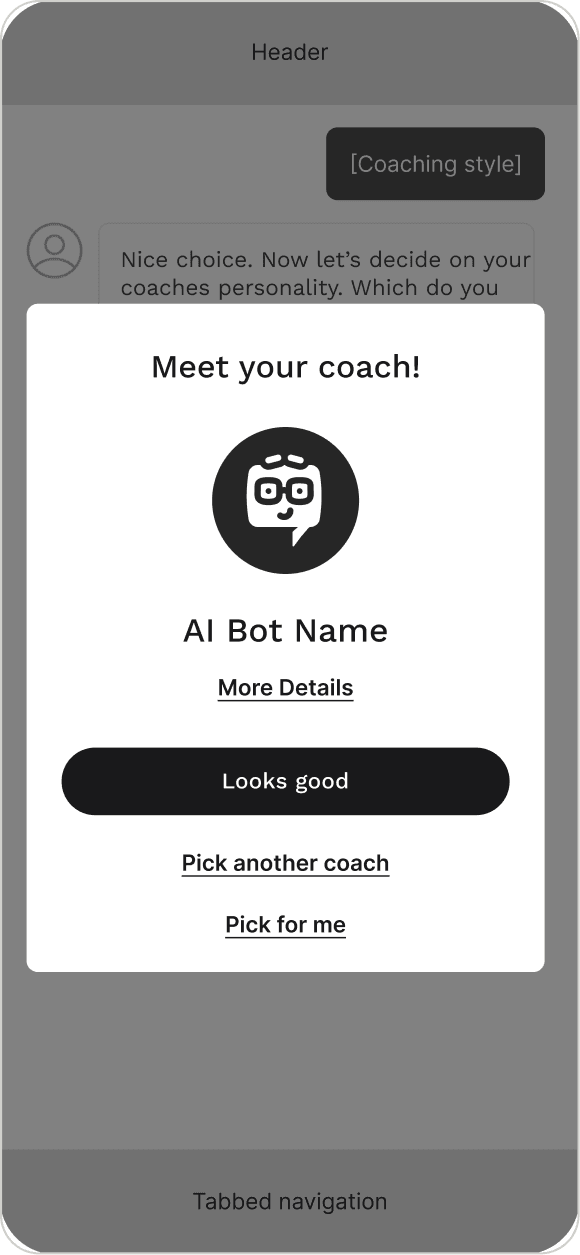
Concept 2 wireframe: Meet your coach
4. Meet your coach. The coach card appears in-thread. Looks good, pick another, or pick for me.
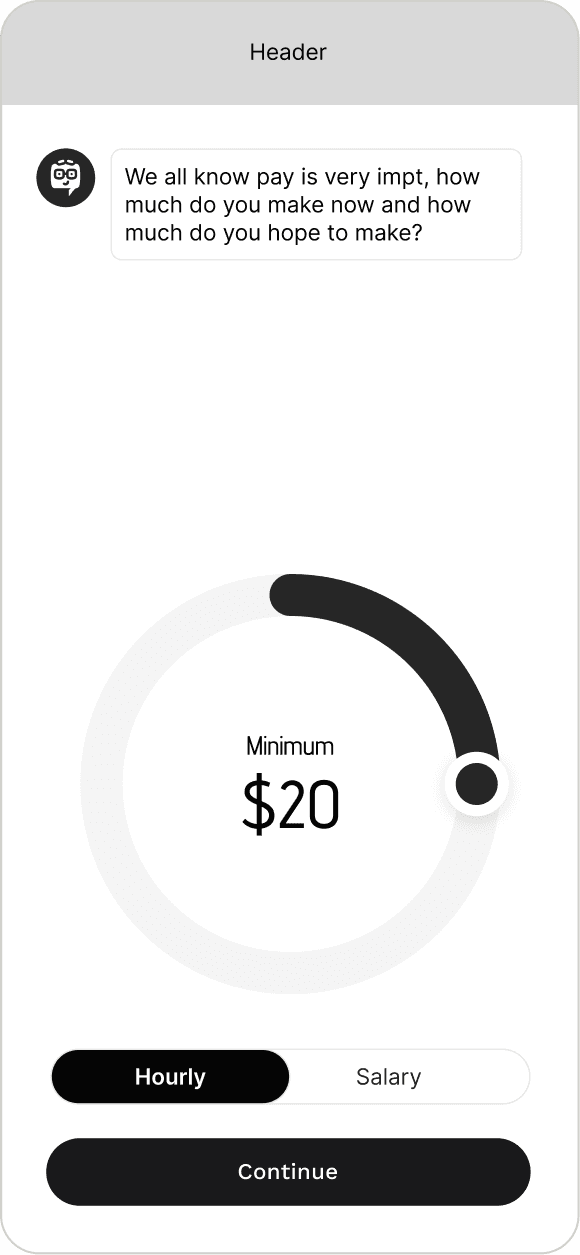
Concept 2 wireframe: Wage intake
5. Wage intake. A slider replaces typing a number, with an hourly and salary toggle. Placeholder UI at this stage.
Concept 2 wireframe: Priorities
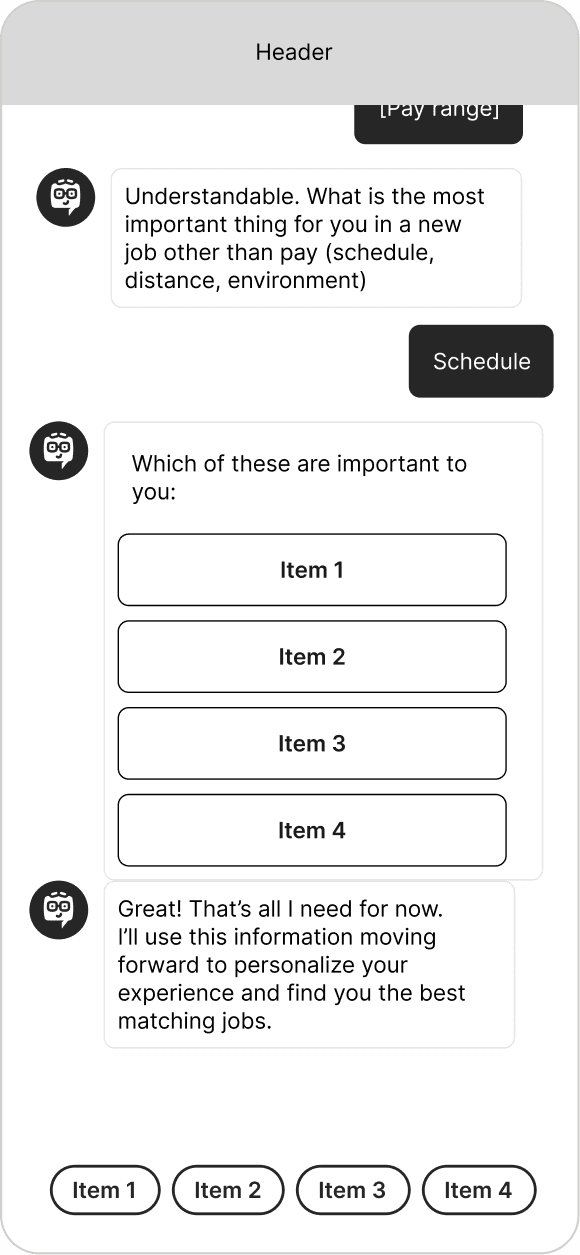
6. Priorities. Ranked buttons for what matters beyond pay. Still no open input, by design.
Concept 2 wireframe: First task
7. First task. The same button-based welcome as Concept 1. This is where the two concepts converge.

Hypothesis

If the coach runs onboarding itself, members trust it early and answer harder questions later.

Where it won

The relationship starts immediately, and every choice demos what talking to the coach feels like.

Where it broke

Members liked the guidance, but chips and ranked buttons kept every answer on rails.

Shipped MVP: Onboarding

A four-step customization sequence that made the coach feel truly theirs.

Interactive recreation of the Career Coach onboarding. Choose a coaching style, a personality, a name and how your coach looks, then meet the coach you built.

01

Coaching Style Selection

Members choose personality attributes that match the kind of coaching support they are looking for.

02

Personality Choice

Members select from available personalities to further shape how their coach communicates with them.

03

Coach Naming

Users name their coach to reinforce a sense of ownership and personal connection.

04

Visual Selection

Based on style and personality choices, relevant coach designs are surfaced from the curated library.

Shipped MVP: Chat

Designing conversations that guide, not just respond.

After onboarding, the coach becomes an ongoing relationship. The challenge was a chat that felt helpful, trustworthy and action-oriented, not reactive or generic.

Animated recreation of the Career Coach app: Jaycee, the member's coach, introduces herself and asks for their last job, start date, and how long they stayed, and the member answers each question in turn.

01

Proactive Guidance

The coach suggests next steps, like polishing a resume or exploring jobs, so members aren’t left deciding alone.

02

Actionable Momentum

Short replies and small steps, with follow-ups and encouragement that keep progress visible.

Animated recreation of the Career Coach app: days later, the coach checks that Sophia is still looking for cashier or retail work around Philadelphia, she says yes and adds delivery and warehouse shifts, and the coach replies with matching job cards for a grocery cashier, a delivery driver and a warehouse associate.

03

Real-World Persistence

When members came back, the coach picked up where they left off, with timely prompts like new jobs or a follow-up on recent activity.

User Engagement

Testing the beta app with real members of the Urban League of Massachusetts.

We wanted to know how the beta’s coach, jobs, community and network tab landed with members of the Urban League of Massachusetts (ULEM) during an active job search.

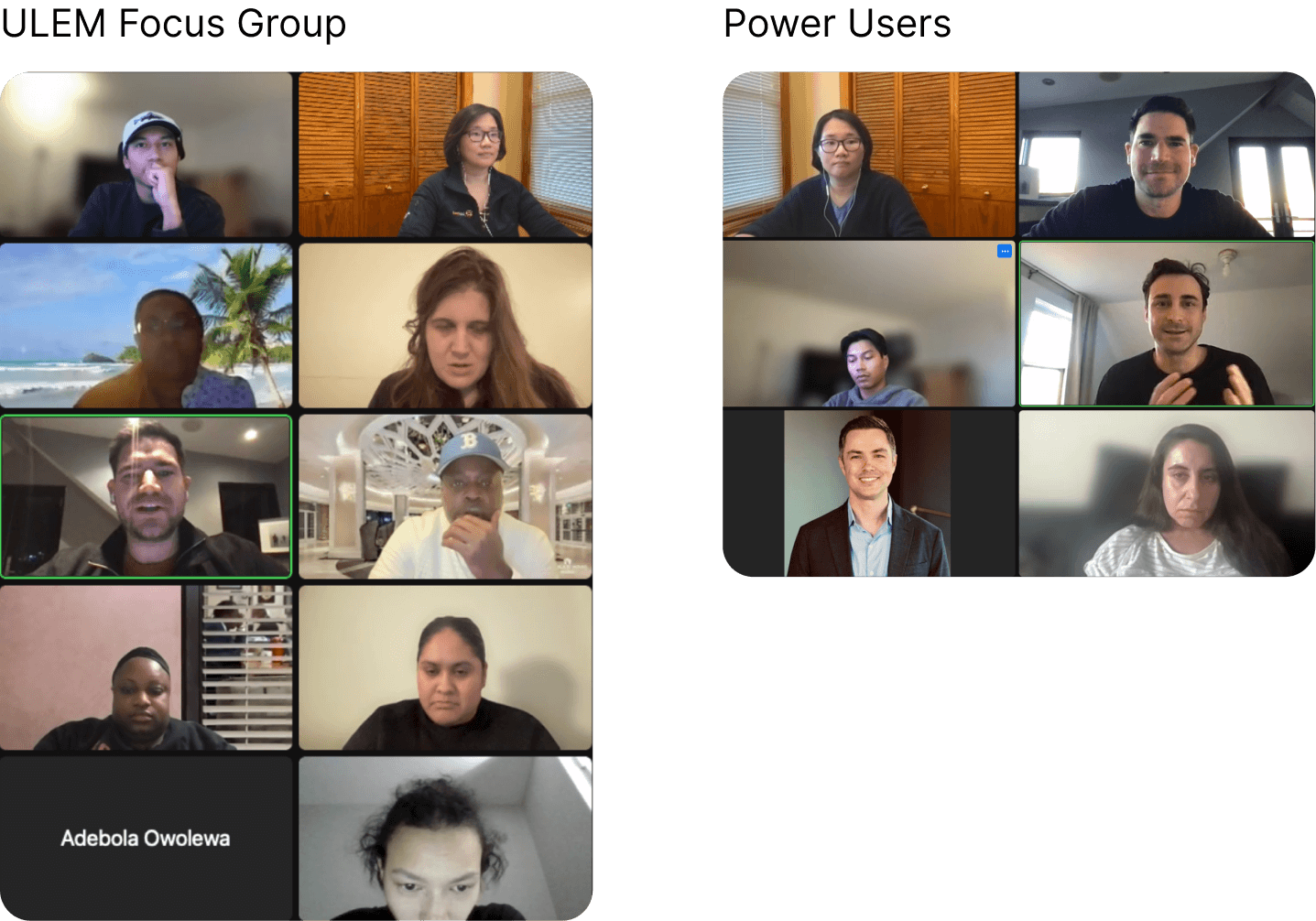
Two one-hour focus groups: 7 ULEM members new to Jobcase and 7 Jobcase power users. Each used the app for several weeks on real tasks, then took a follow-up survey.

Focus group session with Urban League of Massachusetts members

Focus Group Findings

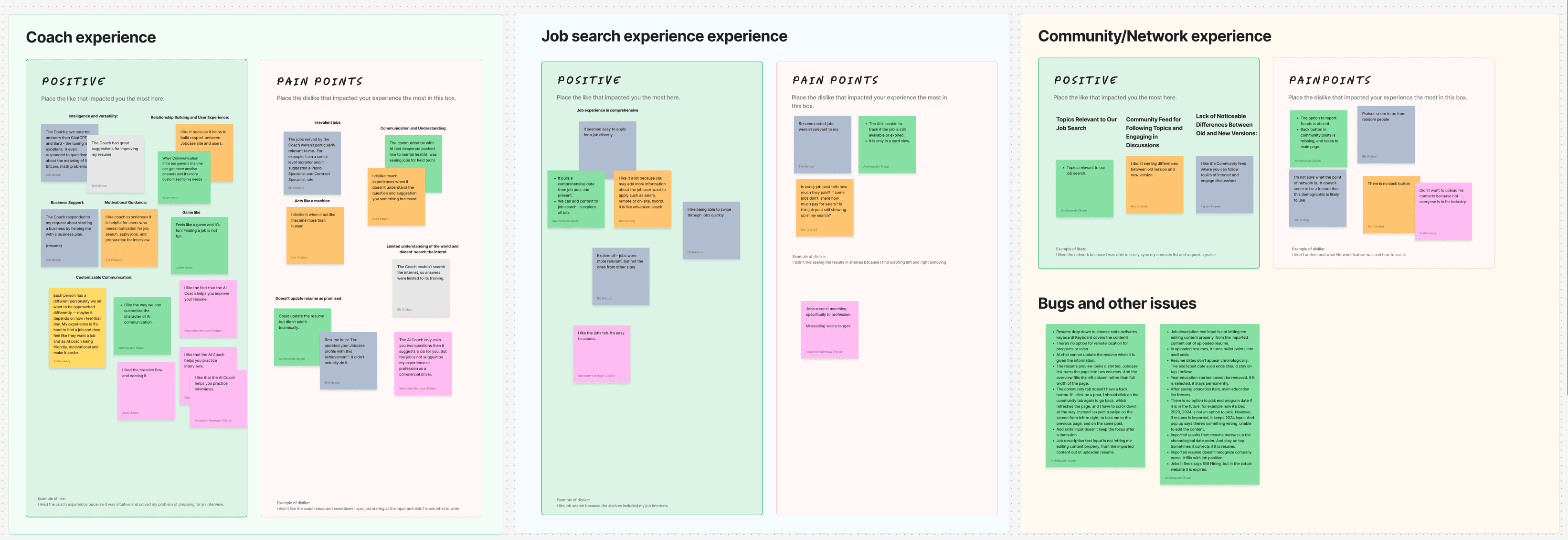
Focus group sticky note board: positives and pain points for the coach, job search and community experiences, plus a list of bugs

Testers surfaced several areas for improvement across the coach’s functionality.

  • Sharper profile understanding. The coach should distinguish aspirational goals from immediate job needs, and reflect that distinction in the user profile.
  • Expanded knowledge reach. Testers wanted the coach to search the web to help with educational needs and chart a path to next steps.
  • Smarter follow-ups. Ask deeper follow-ups, prompt a profile update after three misses, and take feedback on jobs in the moment.
  • Better networking. Surface connection recommendations with clear reasoning, and drop surfaces that aren’t performing.
  • More hands-on career help. Assist with resume editing and offer more personalized recommendations.

These weren’t bugs to fix, they were the shape of version two: deeper profile understanding, web reach and better follow-ups went straight onto the roadmap.

Results

Engagement lift

3×

For coach-guided members vs. those without one.

Job applications

22%

More applications submitted by members guided by a coach compared to those without one.

Daily conversations

1 in 3

Members talked to their coach every day during the first 15 days after onboarding.

Kept their original coach

85%

Of members after their first week, a sign onboarding matched them to the right fit.

Business Impact

The coach moved Jobcase’s core monetization funnel, not just an engagement metric.

Applications are what employers pay for, so a 22% lift made the coach a funnel driver, not a retention feature. It gave leadership the case to make conversational AI a pillar of the member roadmap.

More Projects