Agentic AI Hiring Assistant
Research and design for an agentic assistant that qualifies candidates, books interviews, and surfaces top matches so employers can make faster, more confident hires.
Company
Jobcase
Role
Senior Product Designer
Timeline
2025
Type
Research & Design Exploration
Background
Jobcase is a platform dedicated to empowering workers, with over 100 million members connecting to find jobs, share advice, and navigate work. It operates as a two-sided marketplace. Members manage job searches and access community support, while employers post roles, engage candidates, and manage hiring.
This case study focuses on improving the employer experience, where I designed an AI assistant to reduce hiring friction for small business owners and resource-limited teams.
Problem
Employers were stuck doing repetitive, manual hiring tasks with no smart tools to help.
Small business employers using Jobcase struggled with repetitive tasks like screening, scheduling, and follow-up. They lacked tools that offered intelligent automation while maintaining control and transparency over the process.
Product Goal
"If I design an AI assistant that can independently screen candidates, coordinate interviews, and communicate through natural, accessible interfaces, while giving employers visibility and control, I can reduce time-to-hire, increase engagement, and improve hiring outcomes for resource-limited teams."
Research
Employers wanted automation they could trust, control, and understand.
I ran research sessions with 9 employers through UserTesting.com to validate value propositions, scheduling flows, and comfort with AI autonomy.
The clearest signal was about autonomy. Employers didn’t want the AI to replace their judgment, they wanted it to do the repetitive work while staying inspectable. Each finding became a rule every surface had to follow:
What employers said
Employers wanted visibility and optional override, not full automation.
Design rule
The AI does the repetitive work. The employer can always see why, and step in.
Where it shows up
01 Scoring Dashboard02 Dashboard BreakdownWhat employers said
Email and web were the preferred channels, for professionalism and clarity.
Design rule
The assistant works over email and the web, where hiring already happens.
Where it shows up
03 Screening ChatWhat employers said
Scheduling needed to be fast and low effort.
Design rule
Candidates book themselves into time the employer has already set aside.
Where it shows up
04 Interview SchedulingWhat employers said
The assistant's tone needed to feel human, not robotic.
Design rule
Write the assistant the way a good recruiter talks: warm, short, specific.
Where it shows up
03 Screening Chat
Early Exploration
Before settling on any surface, I went wide.
A competitive review, early ideas and several rounds of exploration came before the prototype employers tested in research.
Competitive review
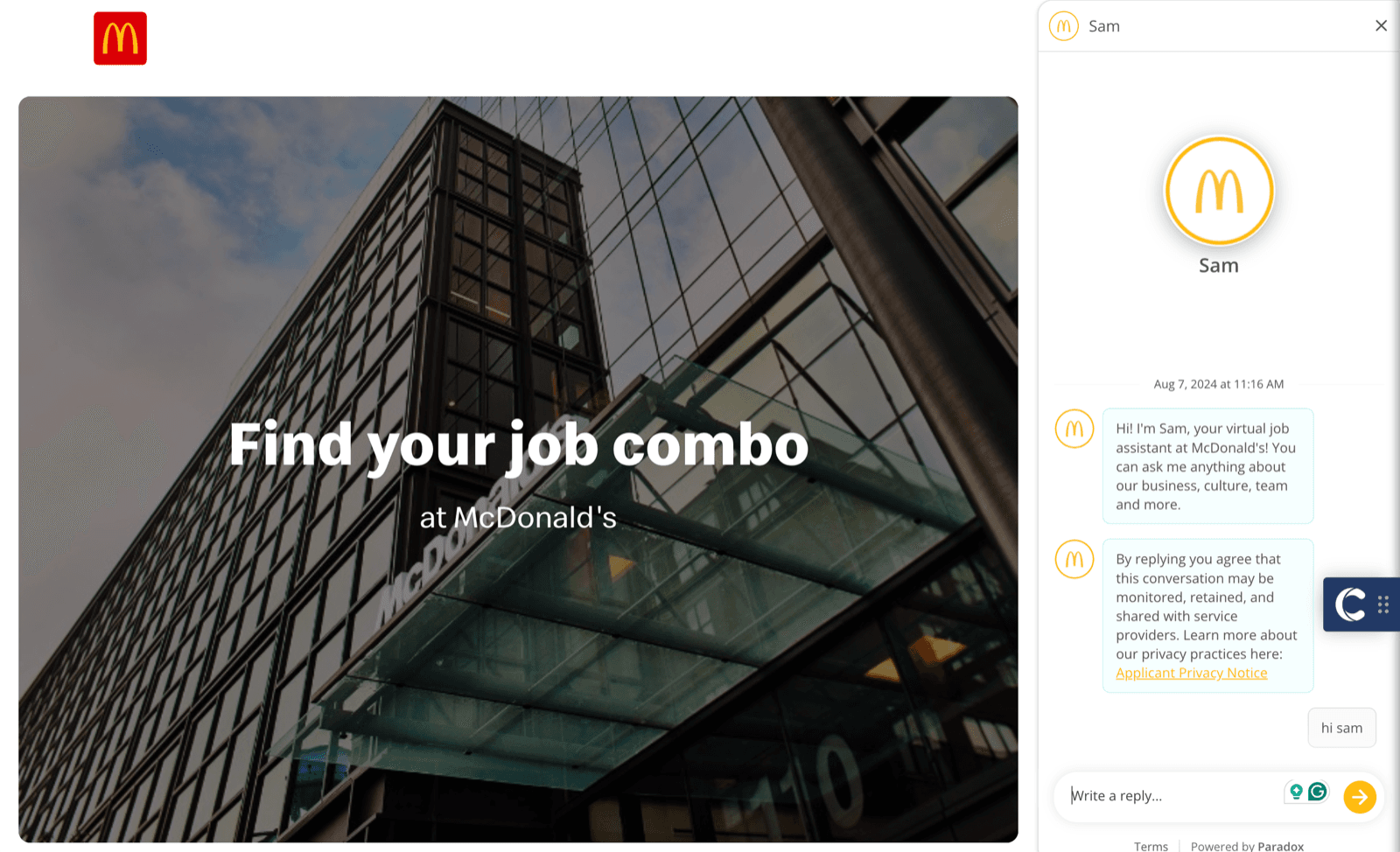
McDonald’s “Sam”, built on Paradox
A virtual job assistant that chats with candidates on the careers site, with a privacy notice before the first reply.
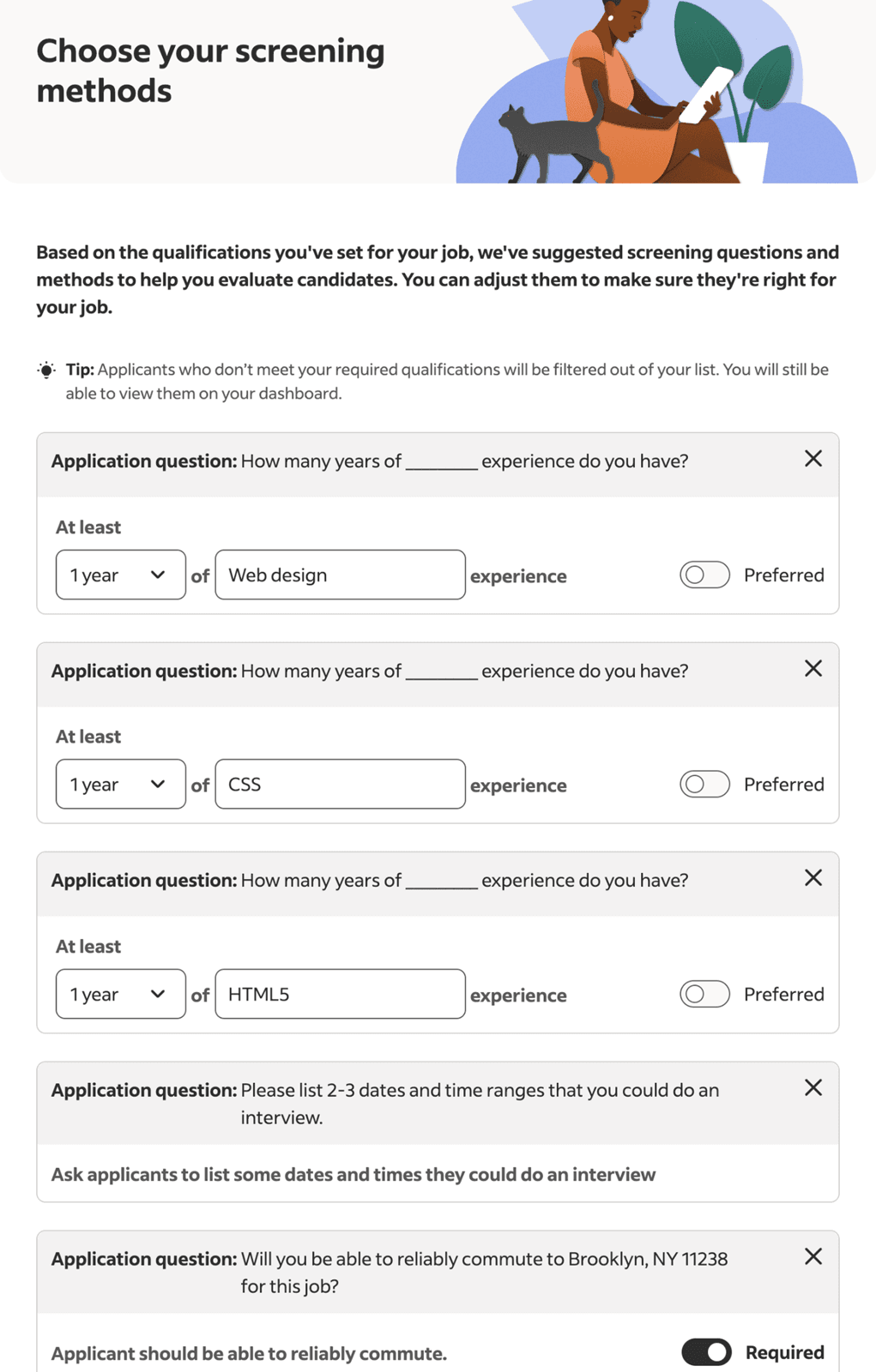
Indeed screening questions
Questions suggested from the job’s qualifications. Filtered-out applicants stay viewable on the employer’s dashboard.
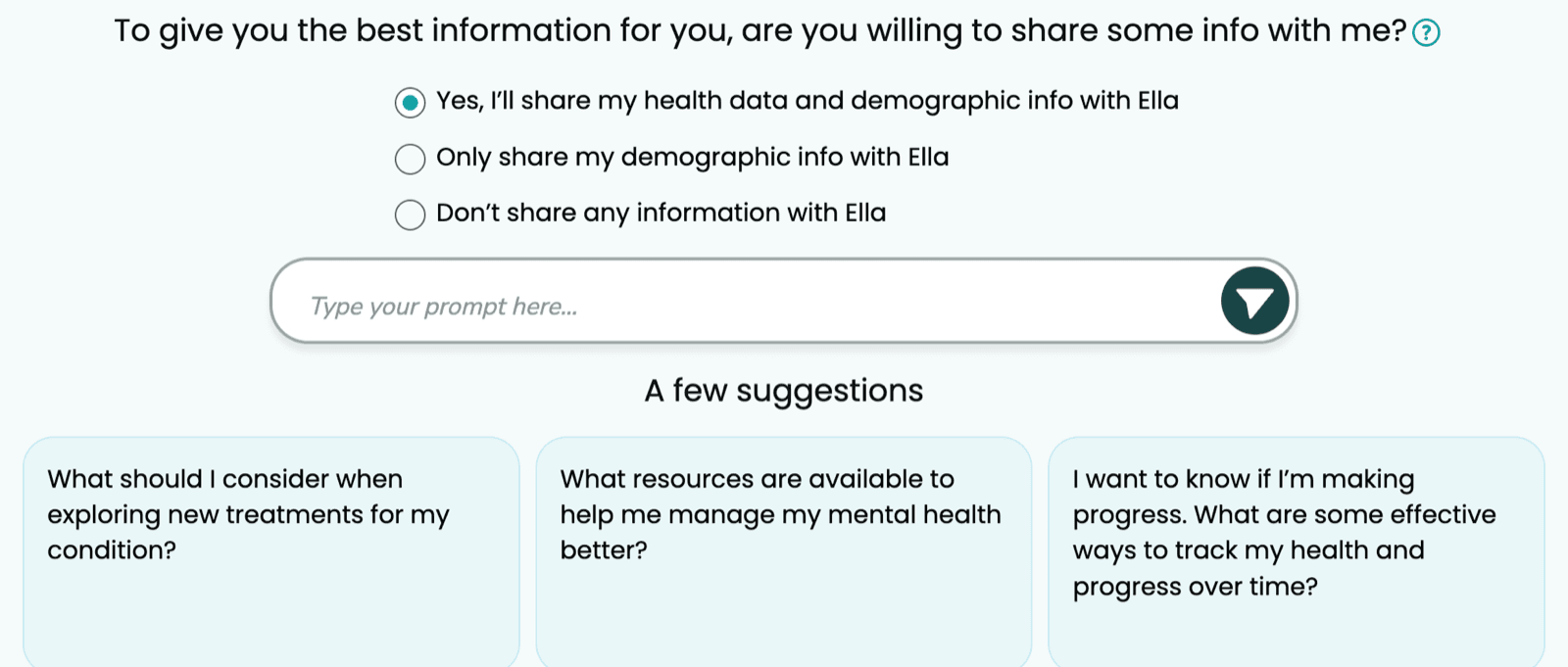
PatientsLikeMe’s Ella
Asks how much to share before it starts, with three clear levels of consent.
Ideas and exploration
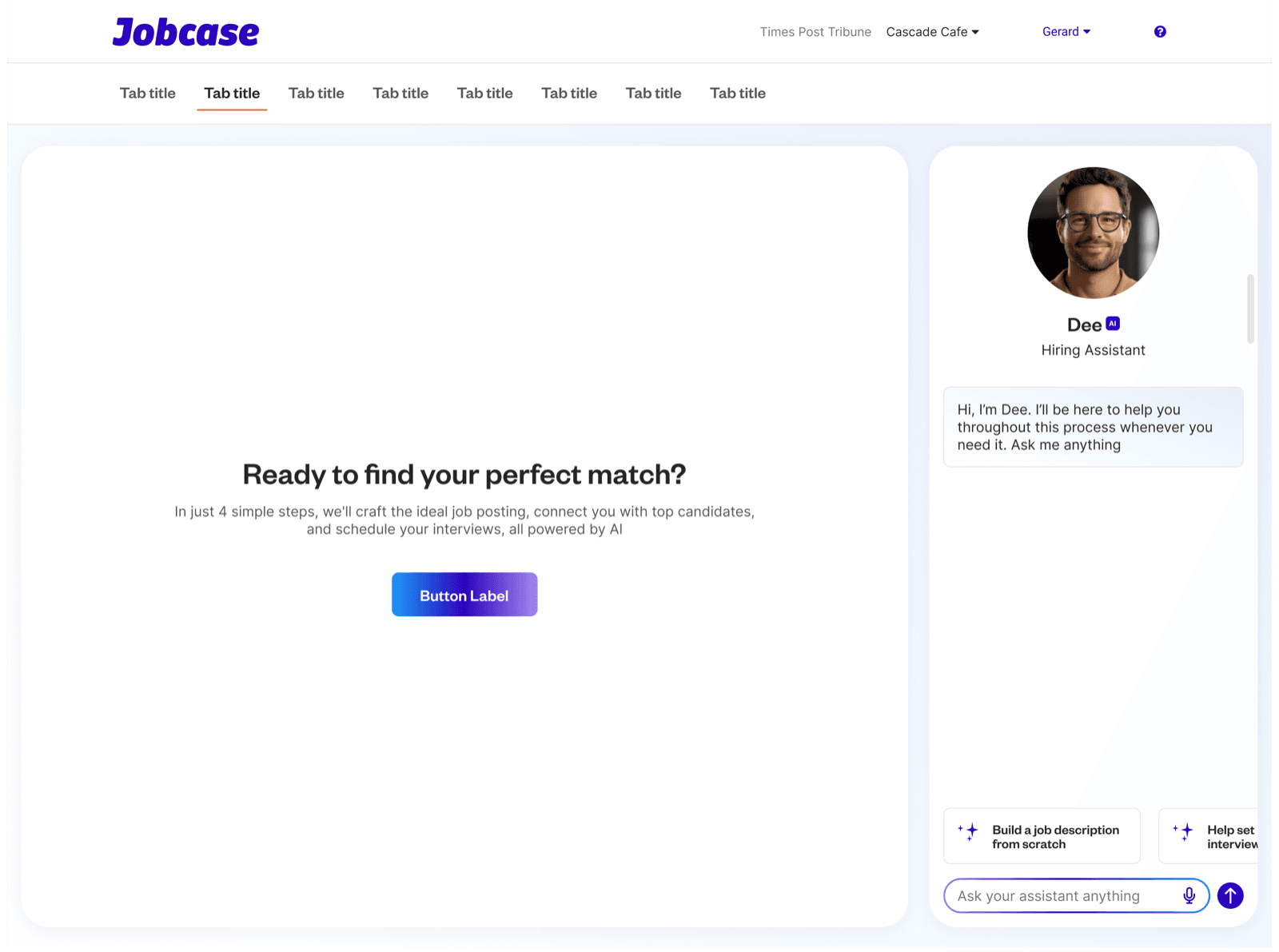
Early ideas
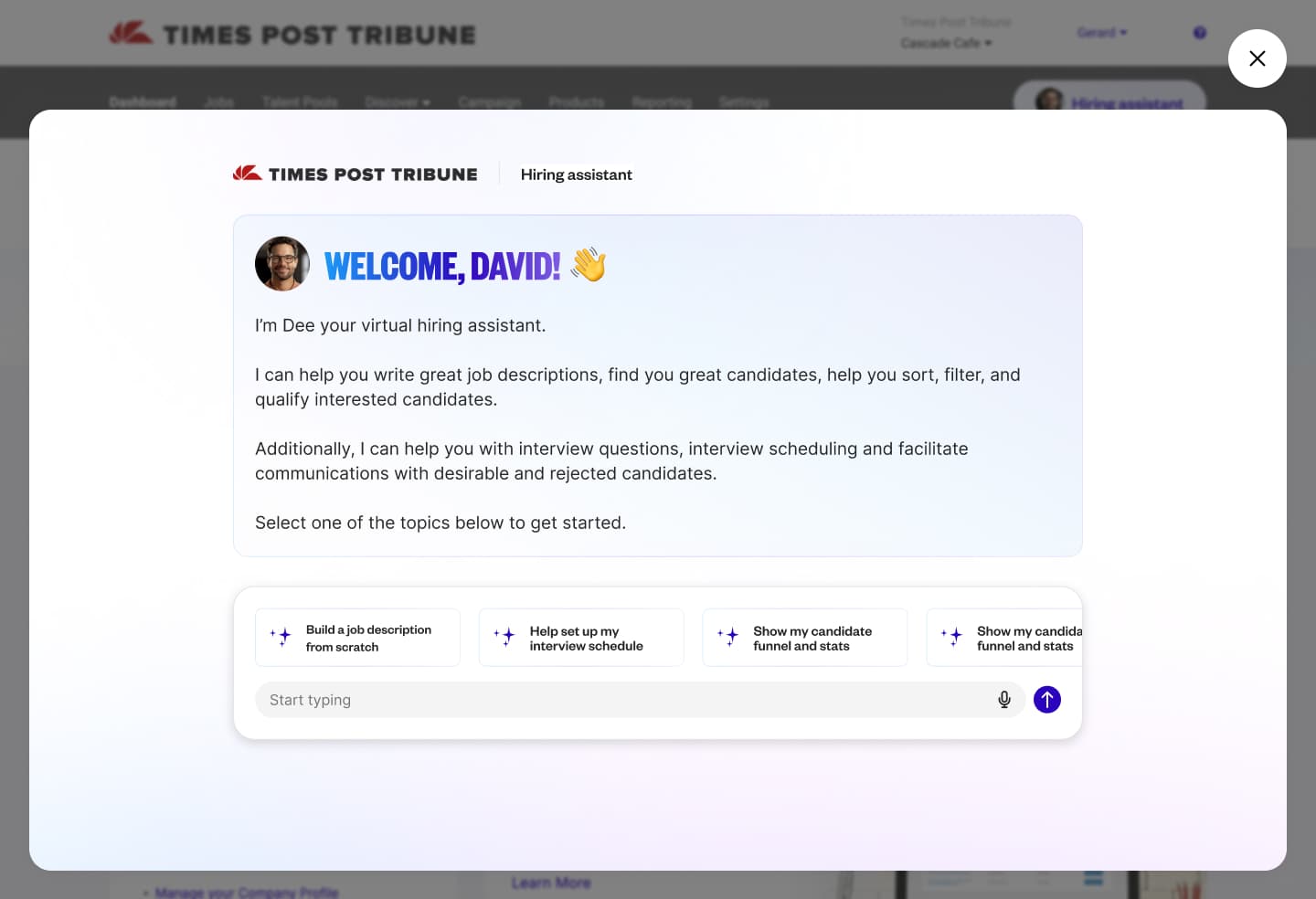
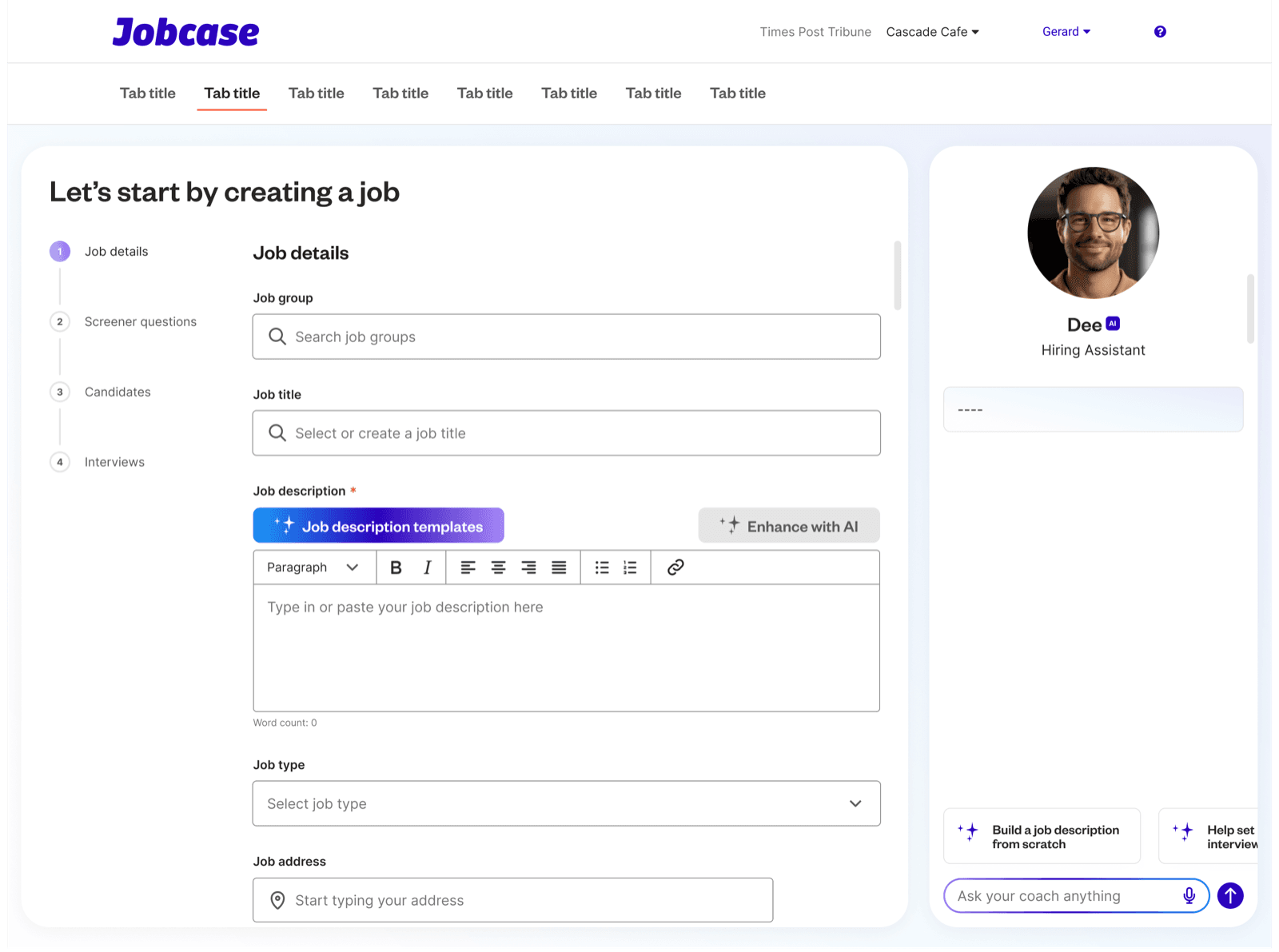
Dee docked beside the employer dashboard, offering a four-step path: job description, screener questions, candidates, interviews.
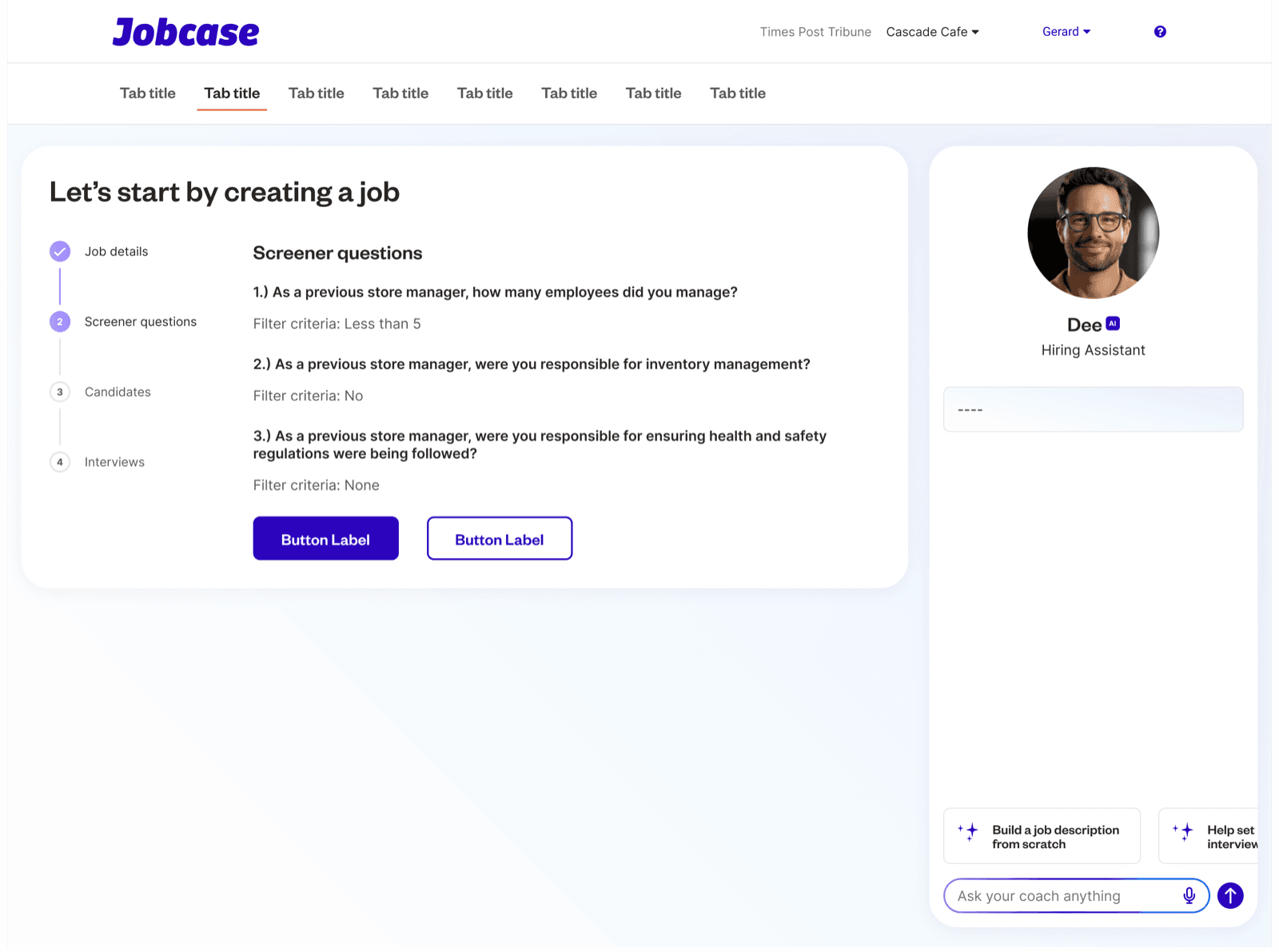
Exploration rounds
Screener questions with their filter criteria written out, so the employer can see how candidates will be screened.
Modality
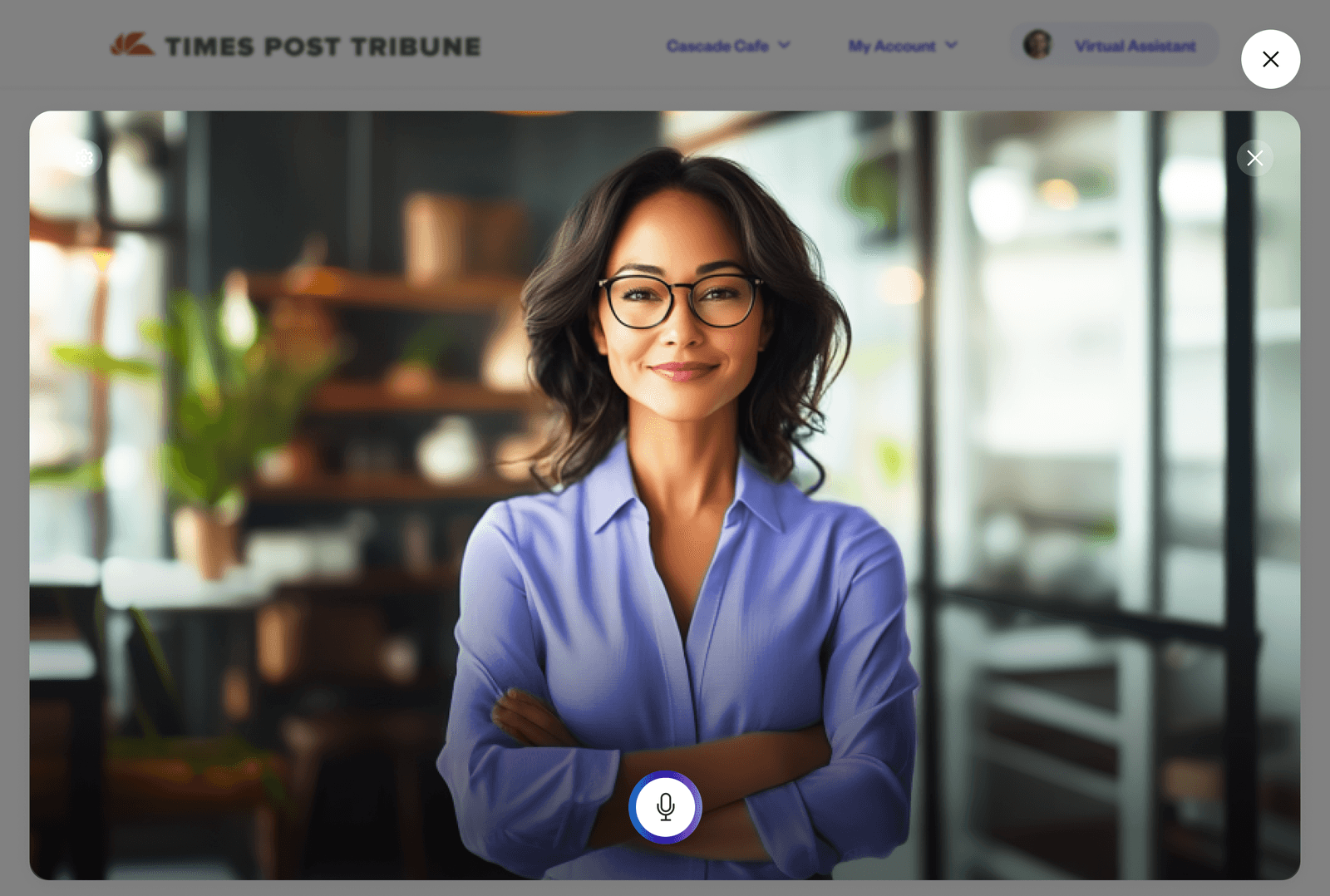
Employers didn’t want to talk to the AI out loud.
Leadership believed people would soon be speaking to AI rather than typing to it, so I explored a voice-first version of the assistant alongside chat. When employers tried it in research, they didn’t like talking to the assistant out loud. They wanted to type, over email and the web, where hiring felt professional and clear. Voice was dropped.
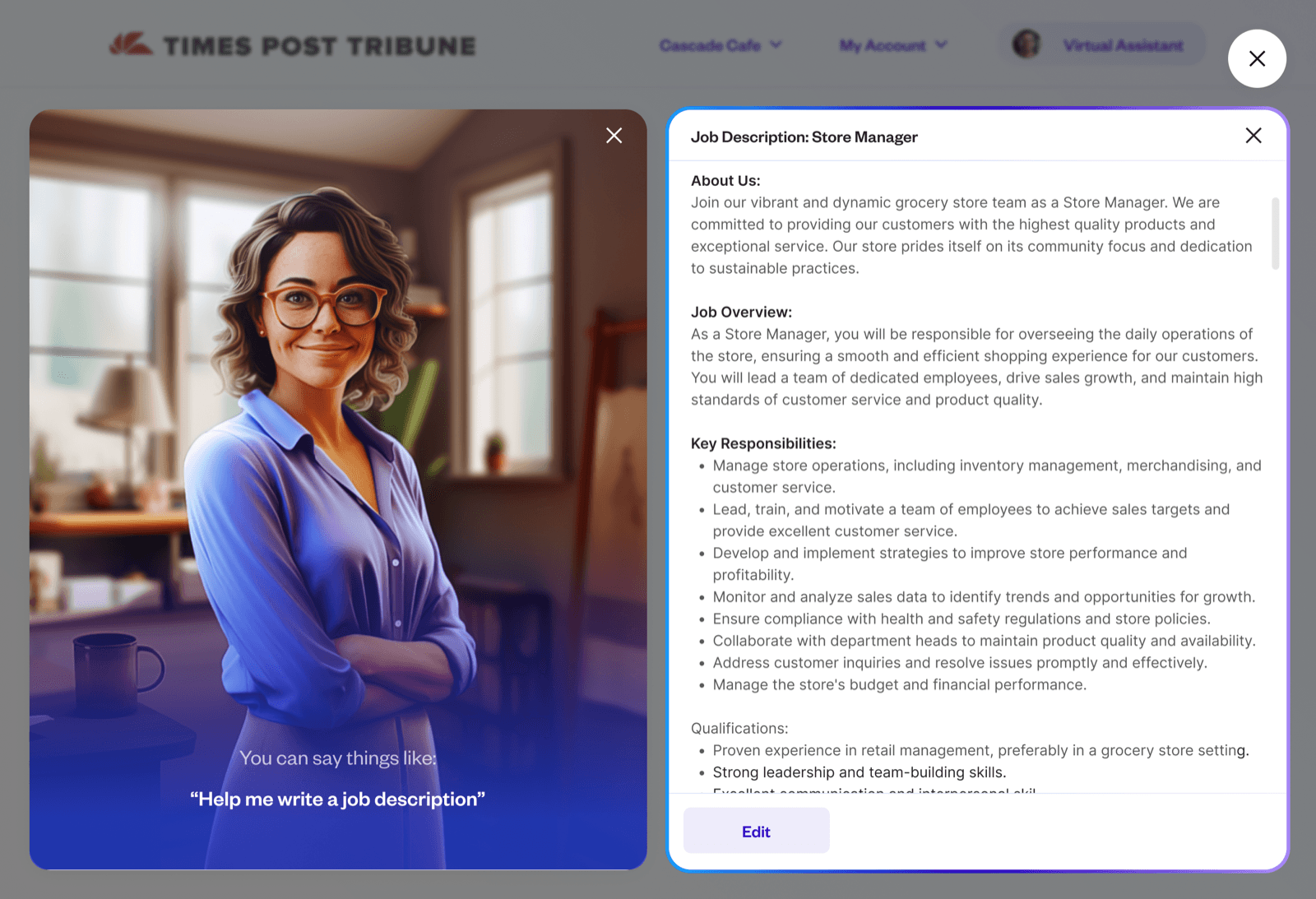
Explored
Voice-first assistant
Employers speak to the assistant out loud. In research, they didn’t want to.
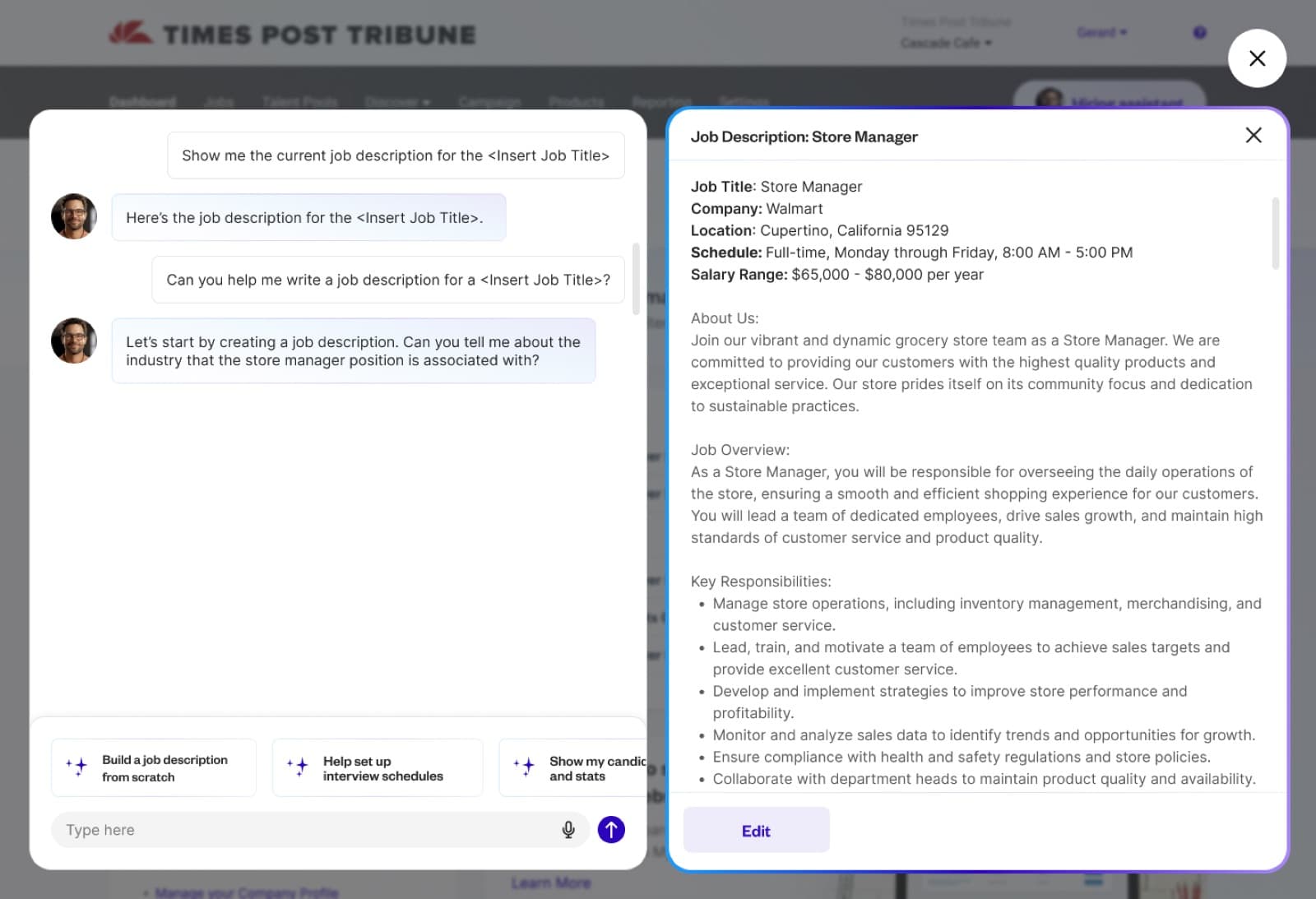
Chose
Text chat, beside the work
Employers type to Dee, and what it drafts opens next to the conversation to review and edit.
One voice system, two products
I didn’t design voice for Dee alone. I designed it as one system across Jobcase’s AI assistants, so the employer-side hiring assistant and the member-side career coach share the same listening, thinking and speaking states and the same single mic control.

Constraints
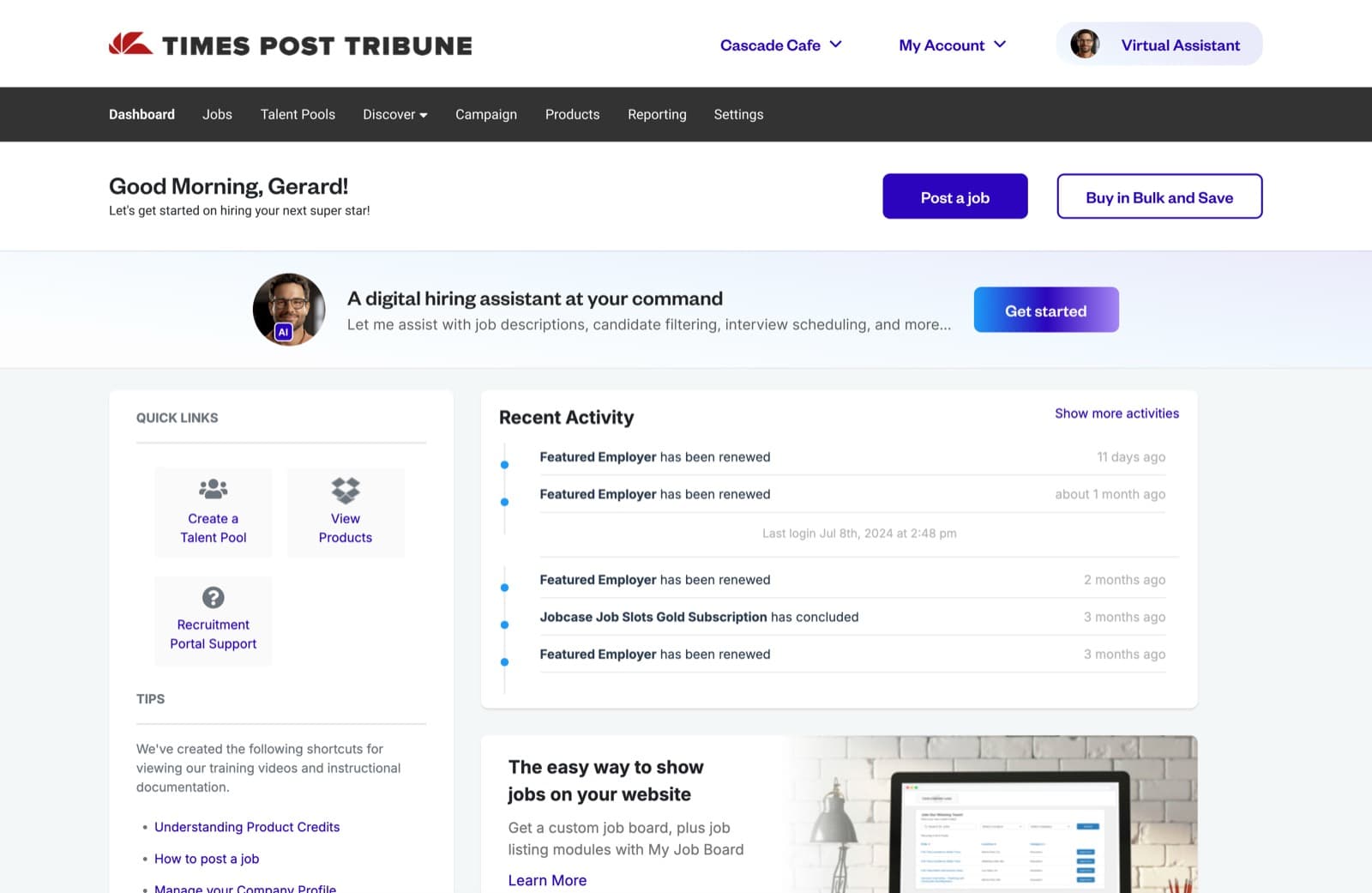
From a dedicated page to an assistant on every page.
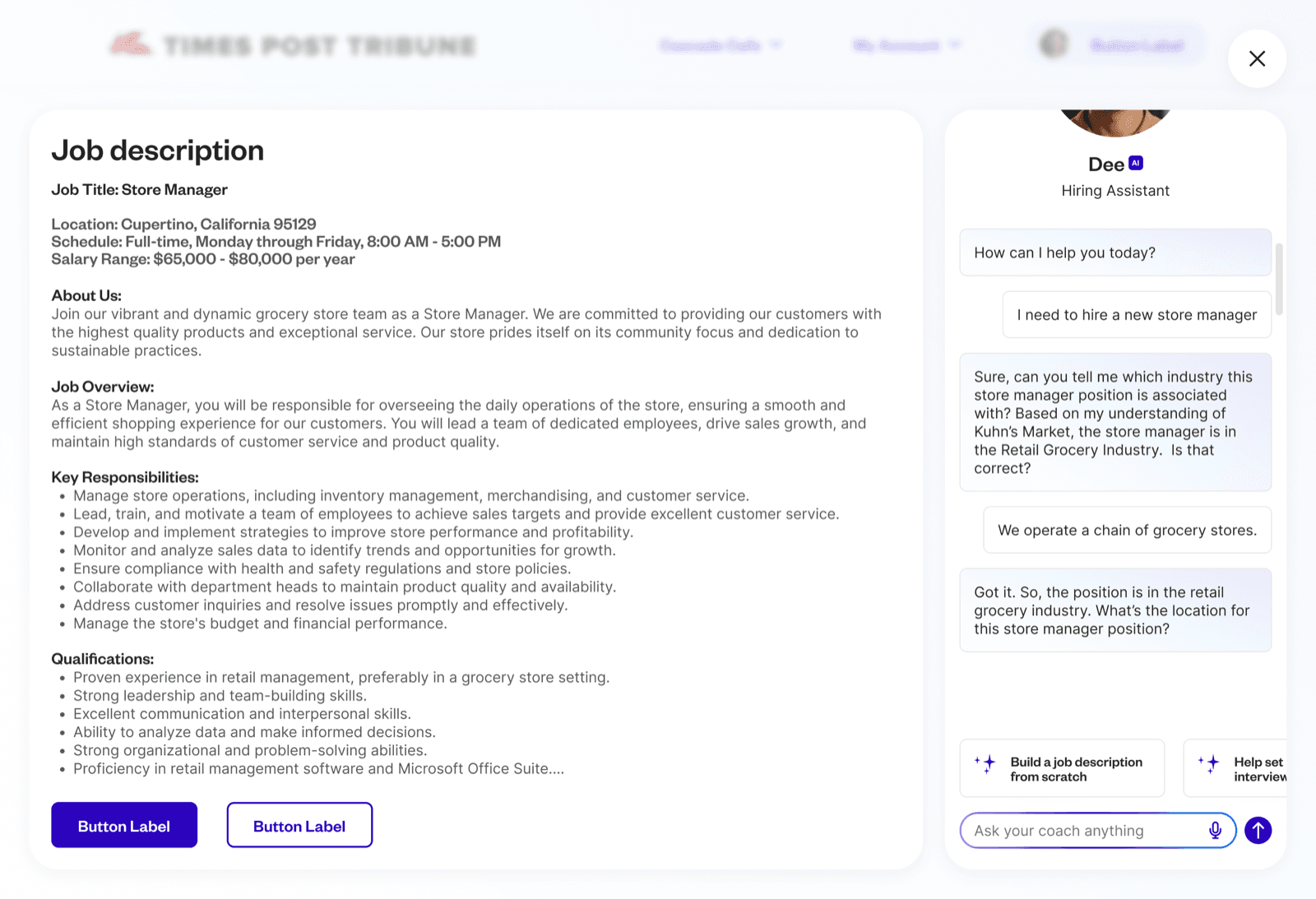
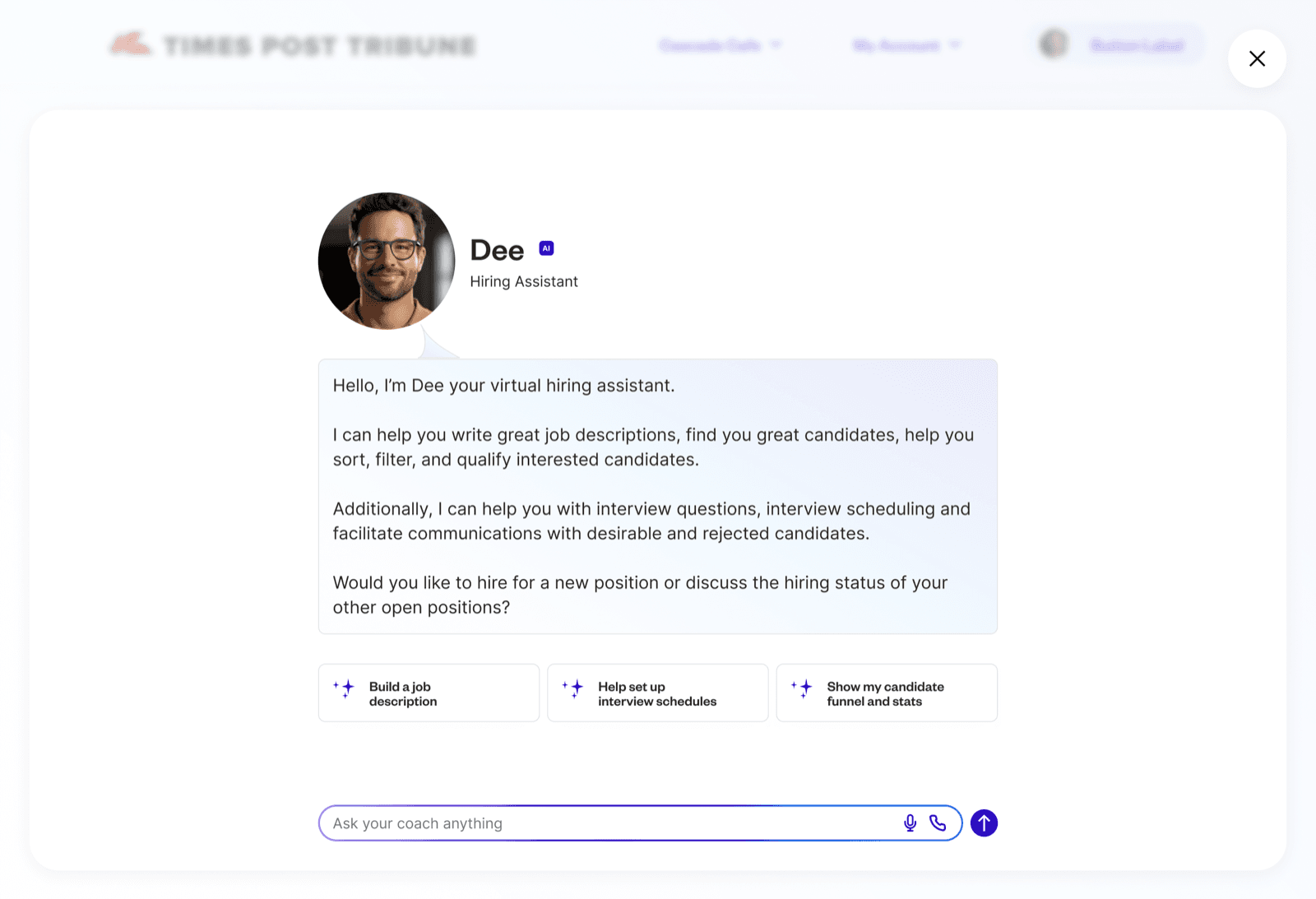
My first concepts gave the assistant a dedicated page, with Dee docked in a panel beside the hiring flow. We moved away from that because the assistant needed to be reachable from any page an employer might be on, not just one. Senior stakeholders set the format that would do it: an overlay on top of the existing employer experience. I didn’t choose that container, so I focused on what I could control inside it, making every part of the overlay carry the research: a reason on every AI decision, an override wherever the AI acted, a voice that sounded human, and scheduling with no back-and-forth.
Where I started
What I was asked to build
Wireframes
Scoring dashboard
Make every AI screening decision reviewable
Employers wanted to see what the AI did without doing the work themselves. The dashboard reads top to bottom, from a summary to the reason behind each candidate.
[Job title] · Screening
Applicants
Passed resume match
Passed screener
Interviews booked
Drop-off by stage
AI insight
The biggest drop-off is at the screener. [Suggested change to the screener question].
- 1
Summary before detail
Managers start with four numbers and drill in only when something looks off. Visibility without another manual task.
- 2
Drop-off as proportional bars
Scannable stage by stage, so the weak step in the funnel is obvious at a glance.
- 3
The AI points at the problem
The biggest drop-off surfaces as a recommendation, so nobody has to analyze the chart.
- 4
Every rejection keeps its reason
- Considered
- Hide filtered-out candidates to keep the list short.
- Chose
- Keep them, labelled with the reason, so the employer can check the AI’s work.
- 5
Override on every AI decision
A fallback path wherever the AI filtered someone out, so the employer can step in at any point.
Screening chat
Qualify candidates before any employer time is spent
The assistant runs the screener as a conversation, on the channels people said they trust, and only offers interview times once a candidate qualifies.
Email · From [Company] Hiring
Next step for your [Job title] application
Opens the chat on the web.
[Assistant name]
Hiring assistant for [Company]
- 1
Starts in the inbox
Email and web were the channels people trusted for hiring. The invite arrives by email and opens a chat on the web.
- 2
Sounds like a recruiter, not a form
- Considered
- A system voice: “Question 1 of 5.”
- Chose
- Greets by name and says what happens next. Research asked for human, not robotic.
- 3
The screener, asked in conversation
One question at a time, with quick answers to tap. Candidates are filtered before the employer spends a minute on them.
- 4
Interview times come last
Scheduling opens only once a candidate qualifies, so every interview on the calendar is worth taking.
Interview scheduling
Remove the coordination, not the control
Scheduling had to be fast and low effort. Qualified candidates book themselves straight into time the employer has already set aside.
Employer view
Your interview availability
Pick a time with [Hiring manager]
[Job title] · [Interview format]
Open times
You’re booked
[Day], [Time] with [Hiring manager] for [Job title].
- 1
Only open times
Candidates choose from the employer’s availability, so there’s no back-and-forth.
- 2
A day, a time, done
- Considered
- Candidates request times, employers approve.
- Chose
- Book instantly. Approval would put the employer back in the loop research asked us to remove.
- 3
Confirmed by email
The details land in the inbox, the channel people said felt professional and clear.
- 4
The employer owns the defaults
Self-scheduling is on by default, but the hours are theirs to set or switch off.
Solution
I designed an assistant that could draft, screen, schedule, score, and communicate across modalities.
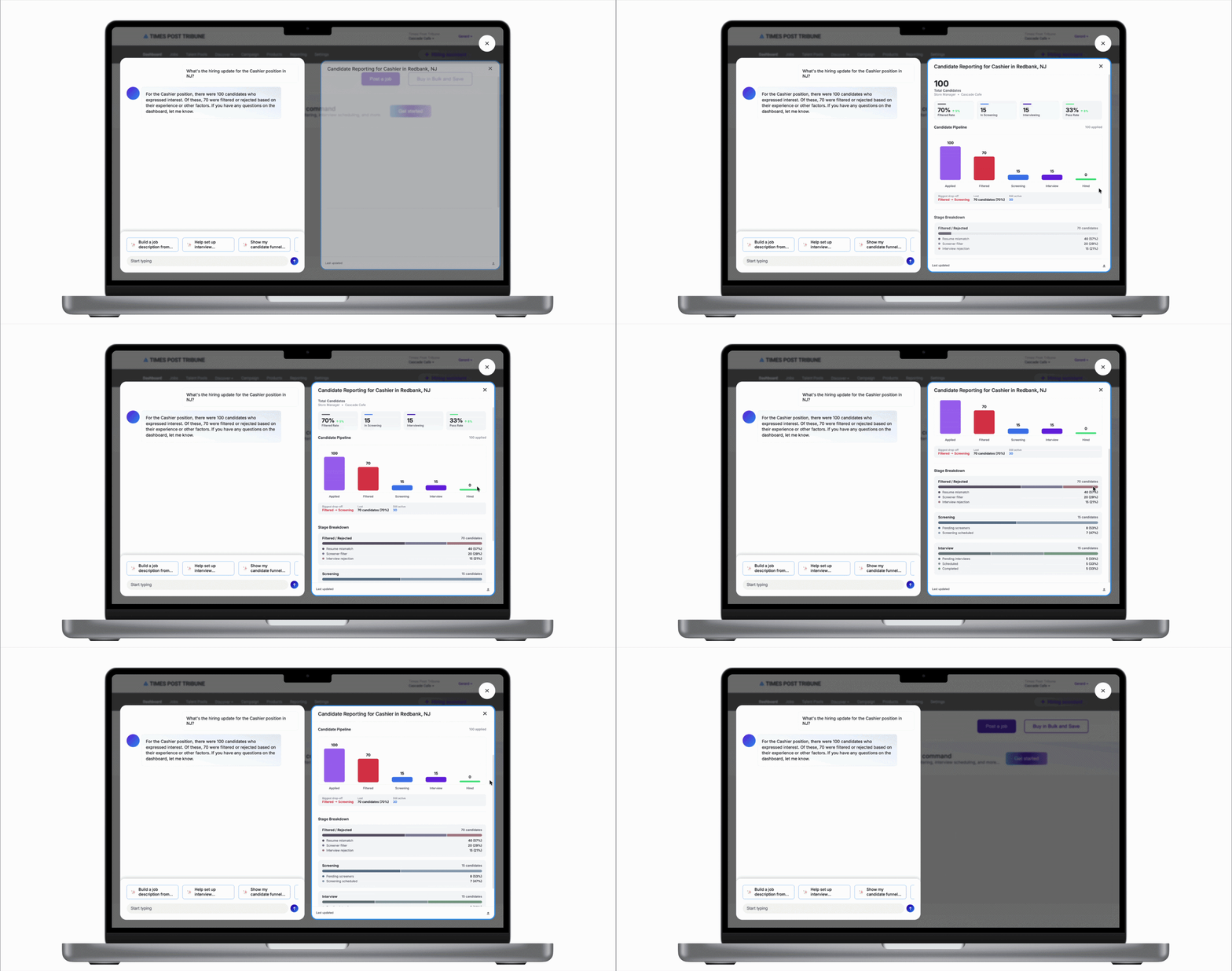
01
Candidate Scoring Dashboard
A visual system for the AI to tag and score applicants based on role fit, giving employers an instant read on candidate quality without manual screening.
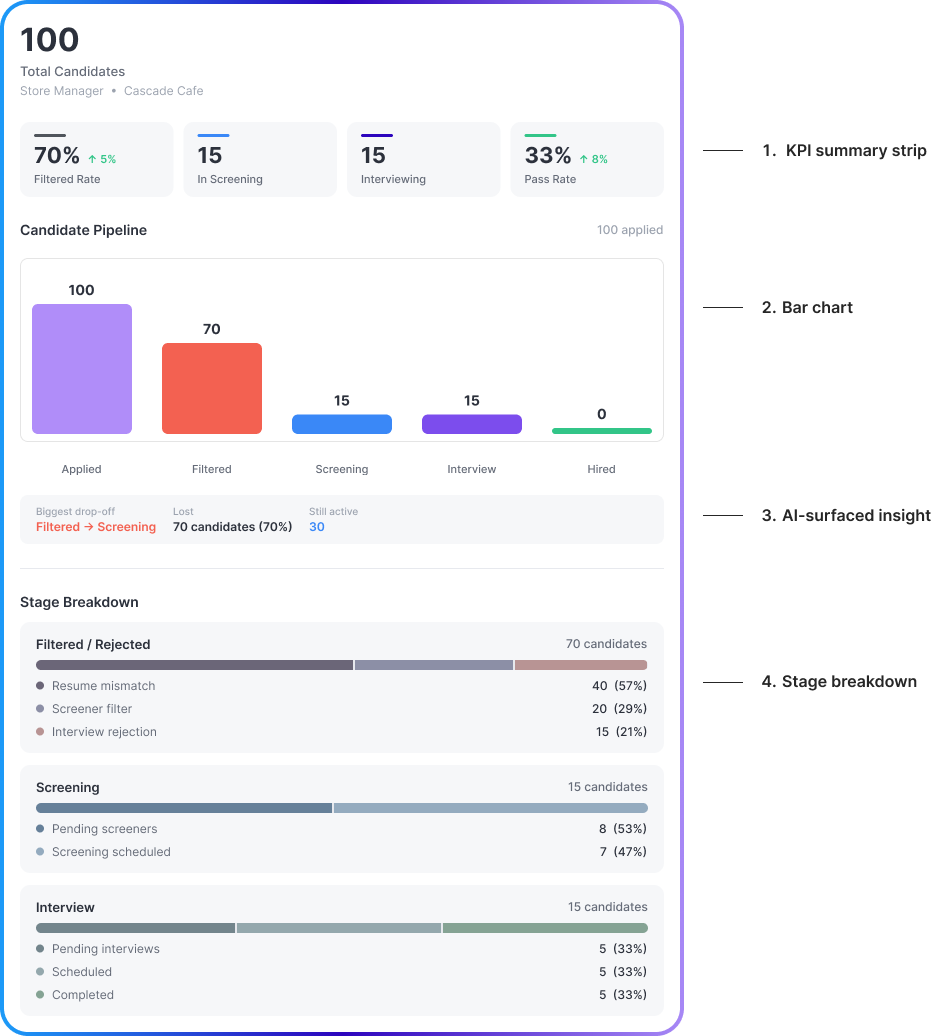
02
Dashboard Breakdown
- 1
KPI summary strip
Layered detail lets managers start with summary rows, drill into charts, and open full breakdowns only when they need them.
- 2
Bar chart
Proportional bars show scannable candidate drop-off stage by stage.
- 3
AI-surfaced insight
AI-generated insights surface the biggest drop-off as a system recommendation, no manual analysis required.
- 4
Stage breakdown
Rejection reasons like resume mismatch or screener filter make AI screening decisions easy to review.
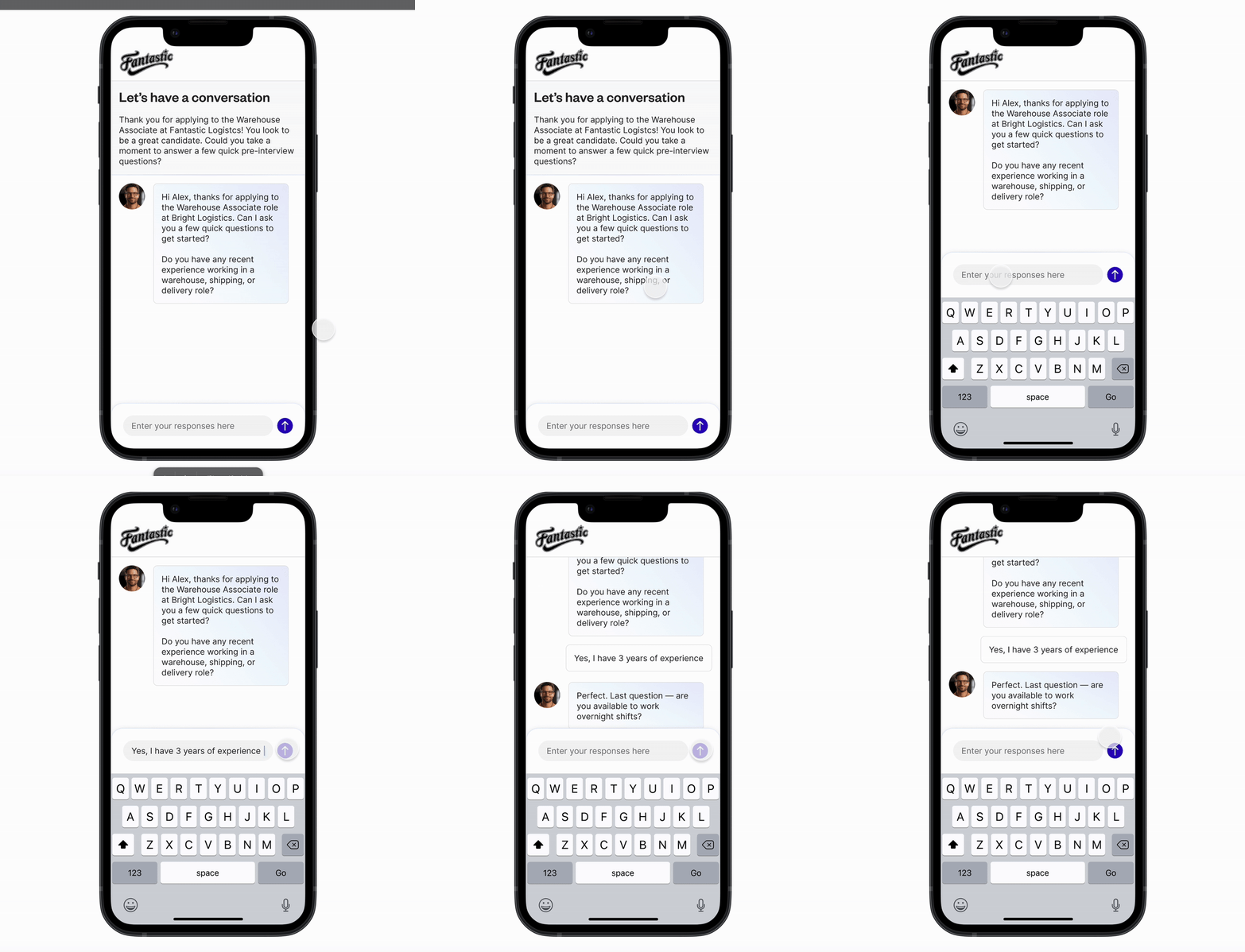
03
AI Candidate Screening Chat
A conversational interface designed for the AI to qualify applicants through chat before presenting interview options, filtering candidates before any employer time was spent.
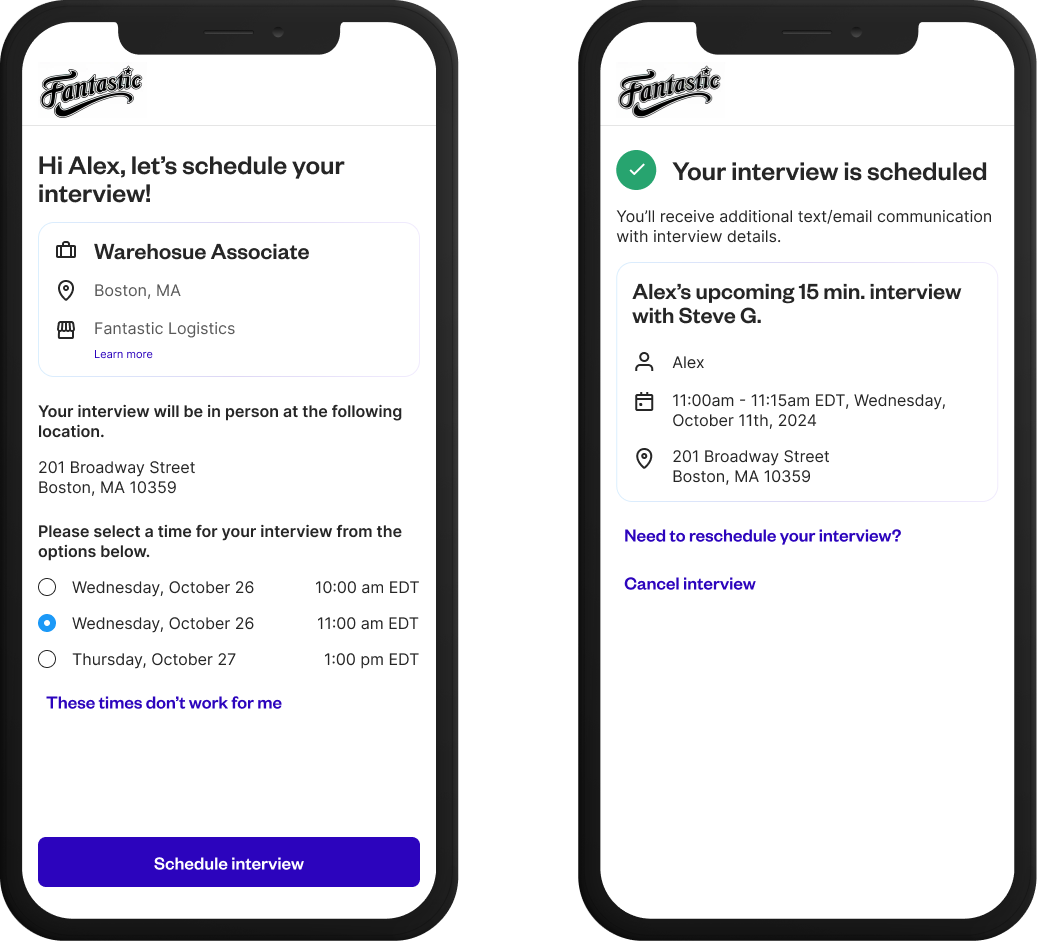
04
Interview Scheduling
After passing AI screening, candidates would be prompted to self-schedule an interview with the hiring manager, removing back-and-forth entirely.
What Happened To The Work
The screening logic shipped. The interface layer didn’t.
The scope was cut after the design work was done. Engineering shipped the screening logic as a background system, and the company chose to keep it background-only to prove the automation bet on a smaller surface. The scoring dashboard, the screening chat, and the self-scheduling flow stayed in design.
That outcome sharpened the problem I actually want to work on. Chat is easy mode for AI trust: the system can explain itself conversationally, one answer at a time. A background system can’t. When the user never talks to the agent, legibility has to be designed into surfaces the agent doesn’t own, the dashboards, notifications, and audit trails around it. Making an agent legible when nobody is in the conversation is the harder version of everything this project was about, and it’s the problem I’m most interested in solving next.
Results
What the research validated
9 / 9
Employers validated the prototype in research, every participant confirming it would significantly improve their hiring outcomes.
What shipped
0K+
Candidates screened before reaching hiring managers by the background screening system engineering built. The interface layer stayed in design.
Business Impact
De-risking agentic AI for the revenue side of the marketplace.
Employers are Jobcase’s revenue side, and agentic automation there is a high-stakes bet: too little autonomy and nothing gets faster, too much and employers stop trusting their own pipeline. The nine-employer study gave leadership evidence about exactly where that line sits. Employers wanted the repetitive work automated but the judgment inspectable, with visibility and optional override rather than full autonomy. That finding de-risked a strategic bet on agentic automation for the revenue-generating half of the marketplace and shaped how much autonomy Jobcase was willing to give AI in employer-facing workflows, including the decision to ship screening as a background system first. The research holds regardless of which surfaces got built: it defined the trust boundary any employer-facing agent at Jobcase has to operate within.
Get In Touch