Conversational AI Career Coach
Helping members feel supported, represented, and coached through their job search.
Company
Jobcase
Role
Senior Product Designer
Platform
iOS
Tools
MidJourney, Runway
Problem
Members lacked confidence and direction. Traditional job platforms didn't feel like they were in their corner.
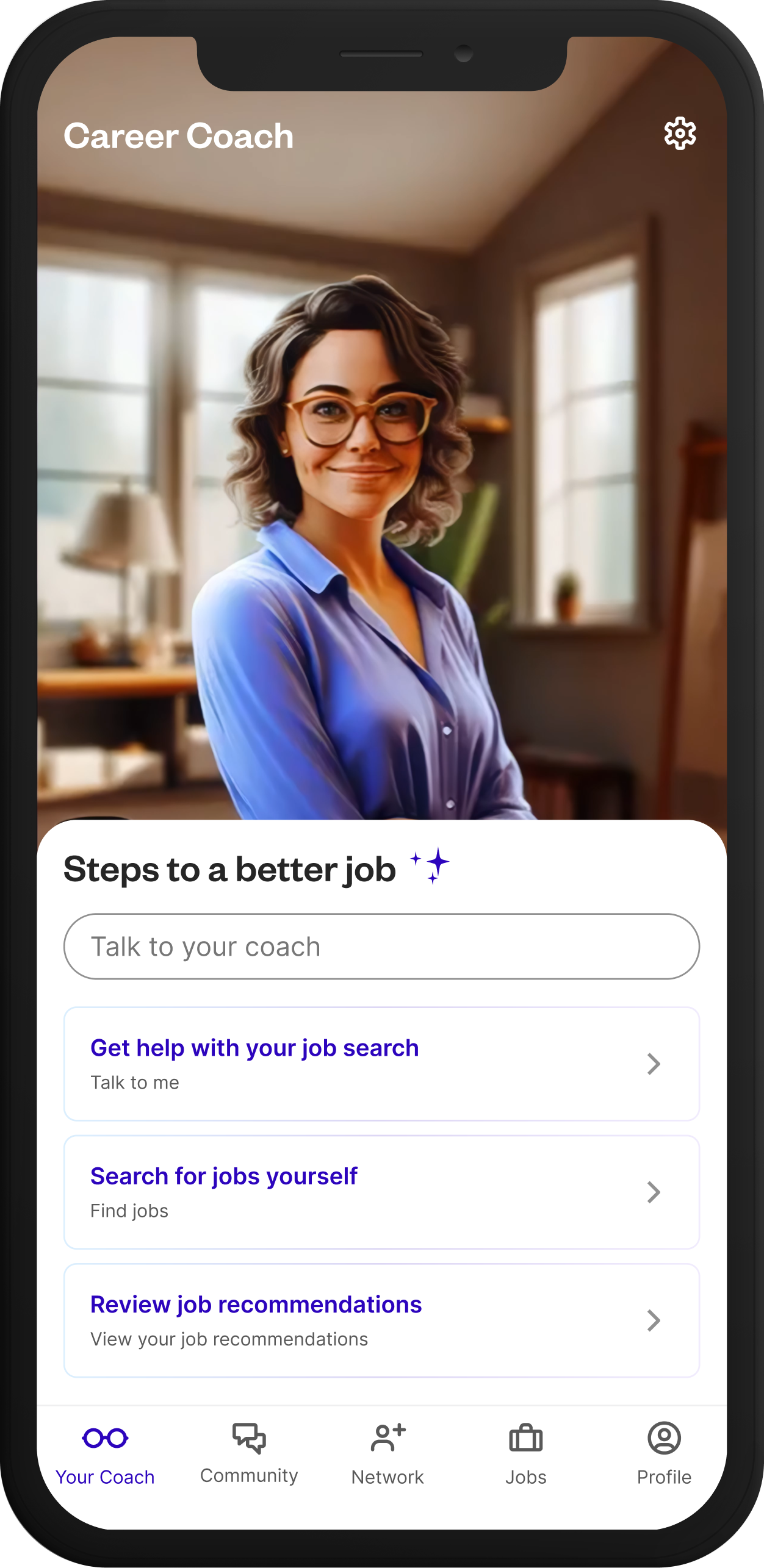
Members often struggled with confidence and direction in their job search. Many didn't know how to start, lacked guidance, or didn't feel represented by traditional job platforms. Leadership needed a solution that felt personal, supportive, and approachable. Fully lifelike talking avatars weren't financially feasible at scale.
The People We Set Out To Help
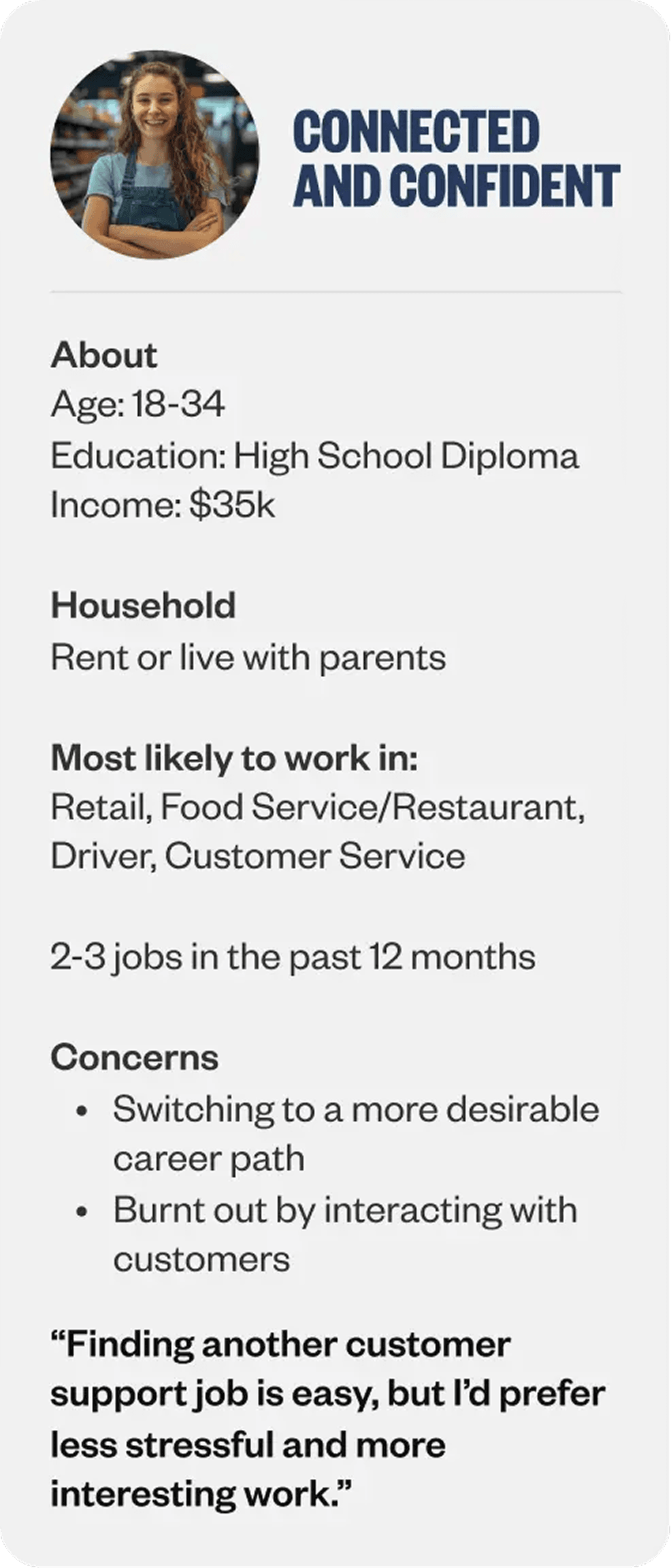
At Jobcase, our members aren’t one audience.
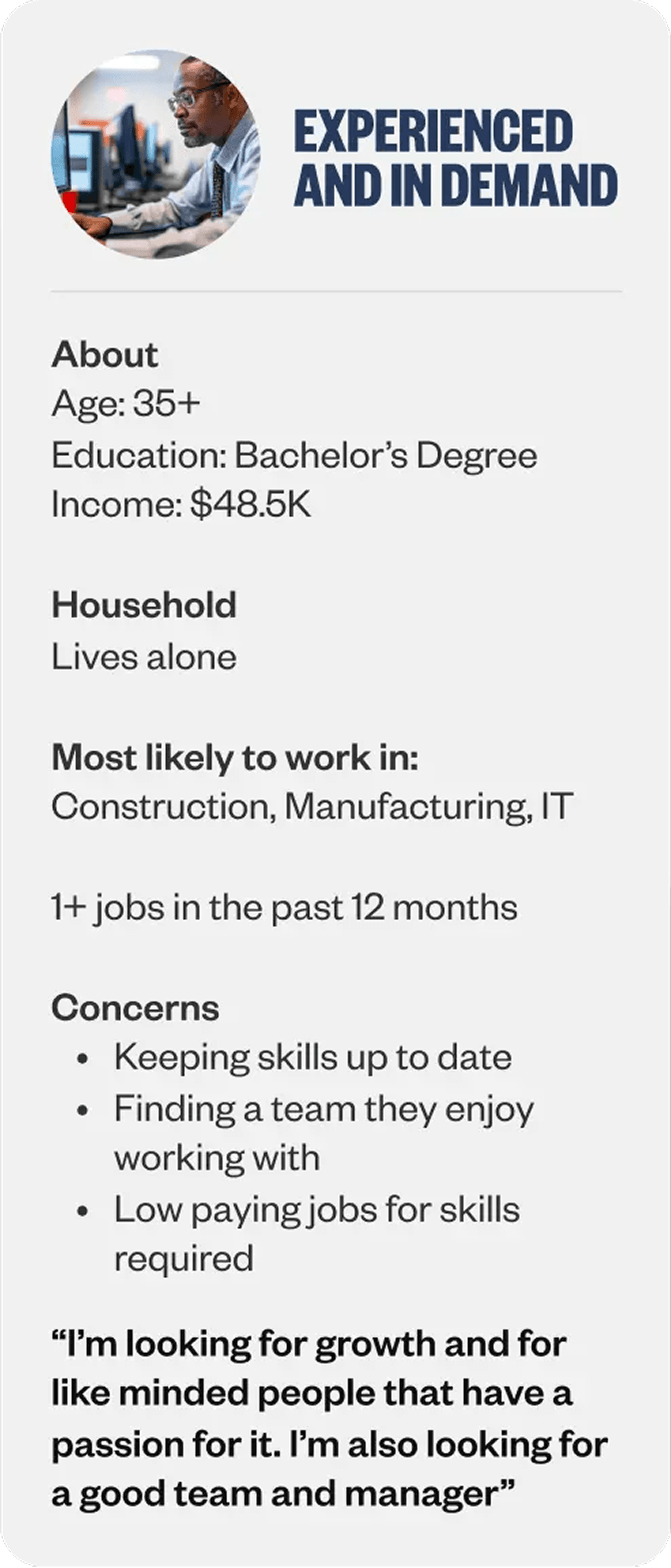
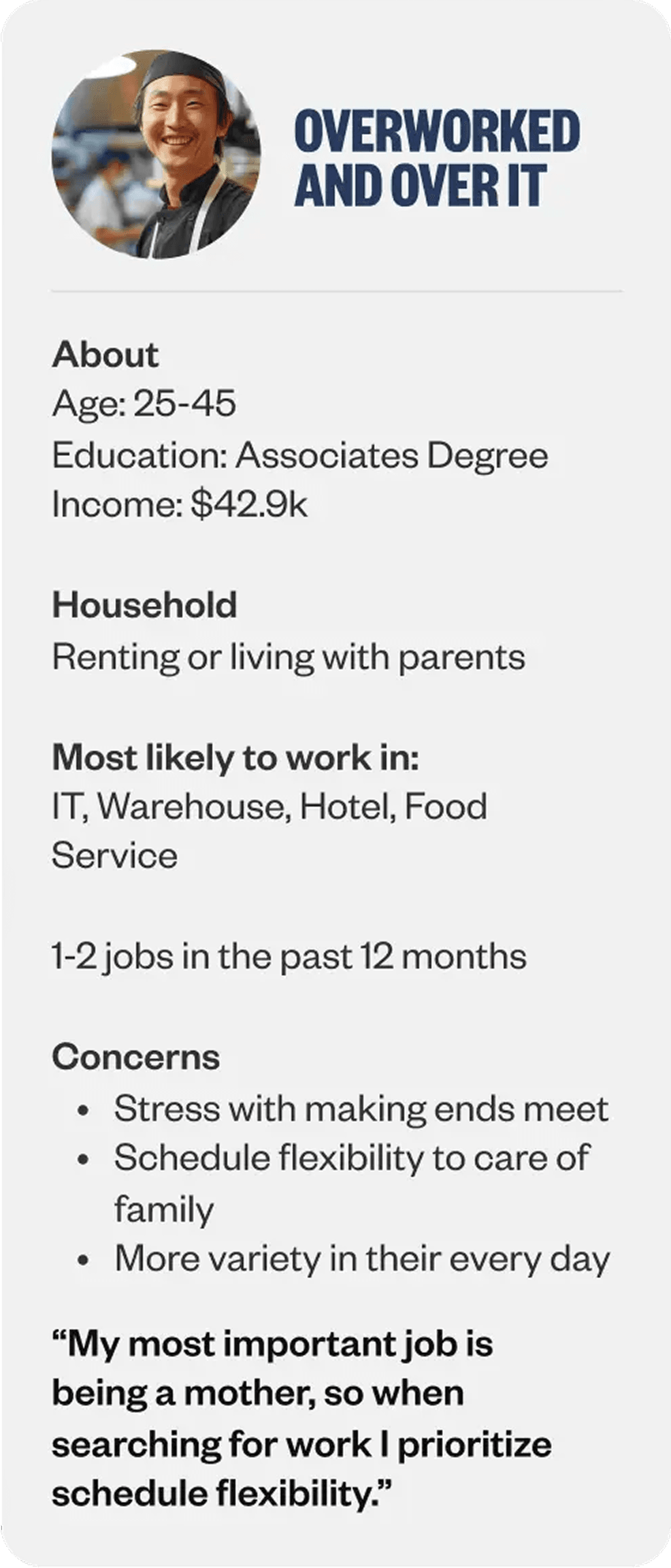
Before designing anything, I grounded the coach in three of Jobcase’s core worker personas. Connected and Confident members are younger workers in retail and customer service looking for jobs with less stress. Experienced and In Demand members are older professionals in construction or IT chasing growth and a strong team. Overworked and Over Itmembers are mid-career workers in IT or hospitality prioritizing flexibility so work fits around family, not the other way around. Designing for these distinct motivations kept the coach’s guidance specific instead of generic.
Design Goals
Three things had to be true for the coach to work.
- Build an AI coach that could actually handle the range of issues workers bring to a job search, not a generic chatbot wearing a coaching hat.
- Give members real control over their coach's personality and coaching style, so the experience felt like theirs from the first interaction.
- Use AI tooling to design the coach's visual identity, so the library could be diverse and representative without blowing the budget.
Wireframe Explorations
Two ways to meet a coach
Before committing to a flow, I framed onboarding as two competing bets. One treated the coach like a product you configure. The other treated it like a person you meet. Both were wireframed end to end, reviewed with the team, and tested against the same question: how quickly does a member believe this thing can actually help them get hired?
Concept 1
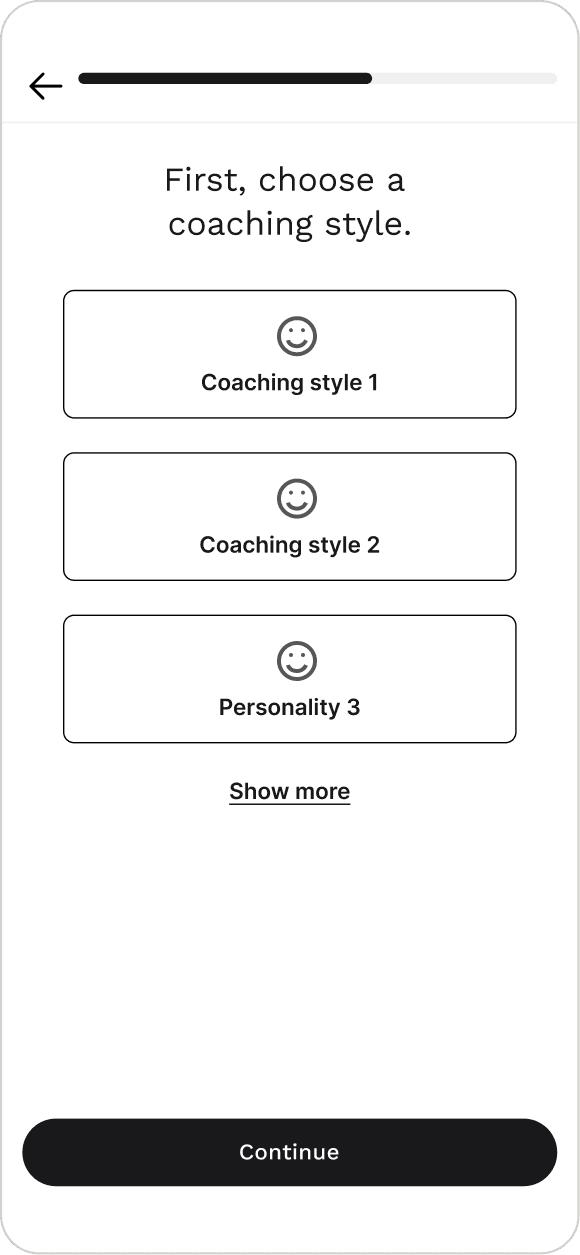
Pick your preferences, then meet your coach
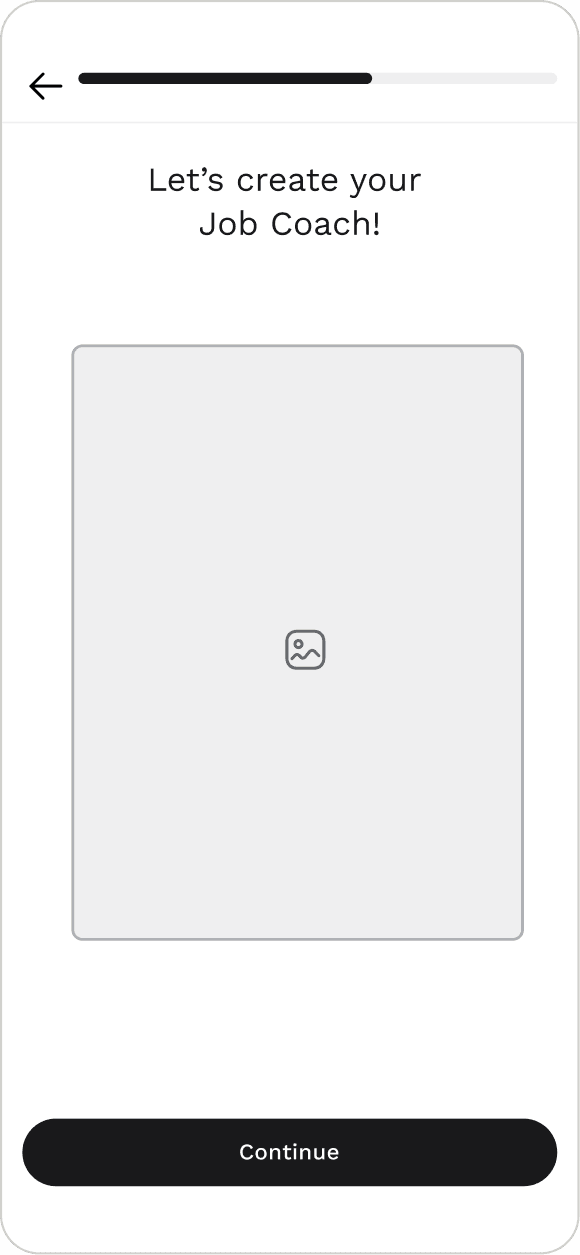
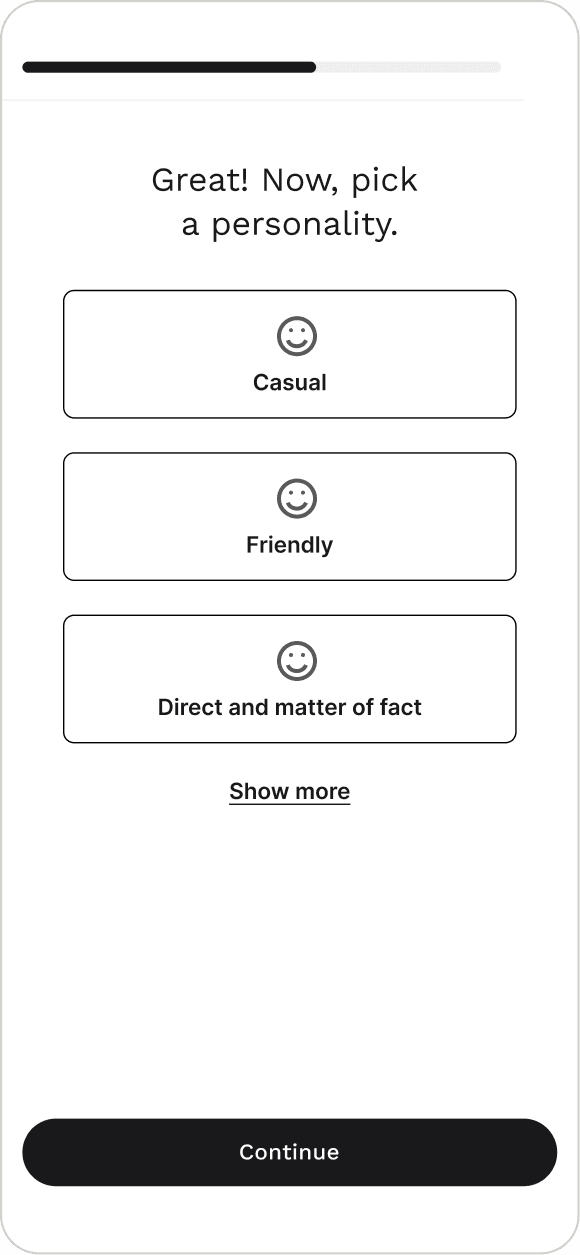
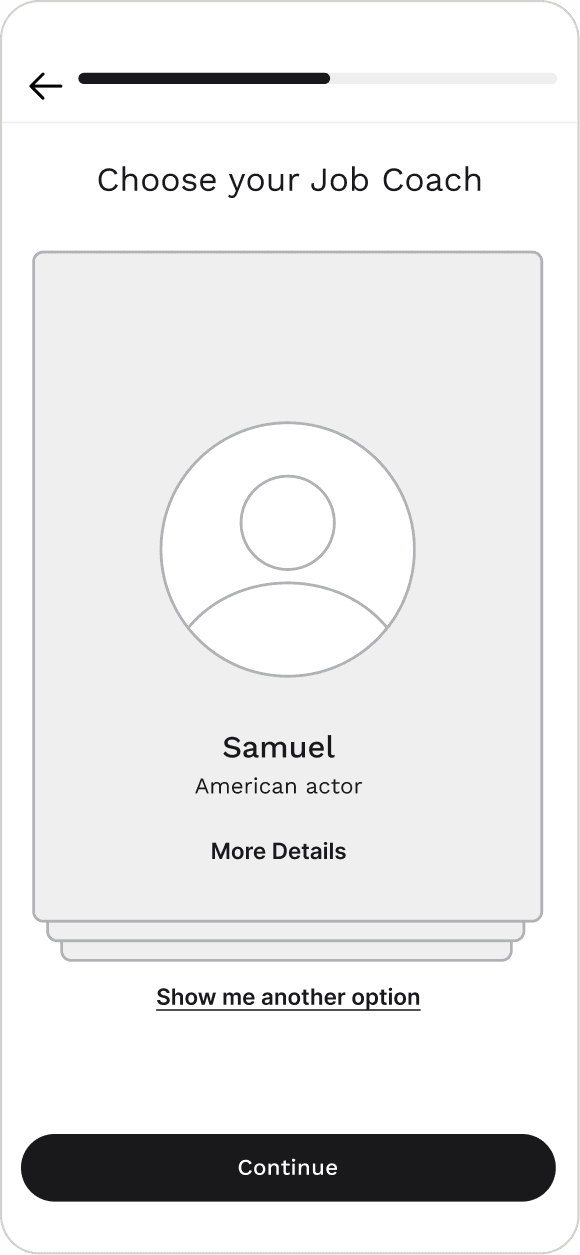
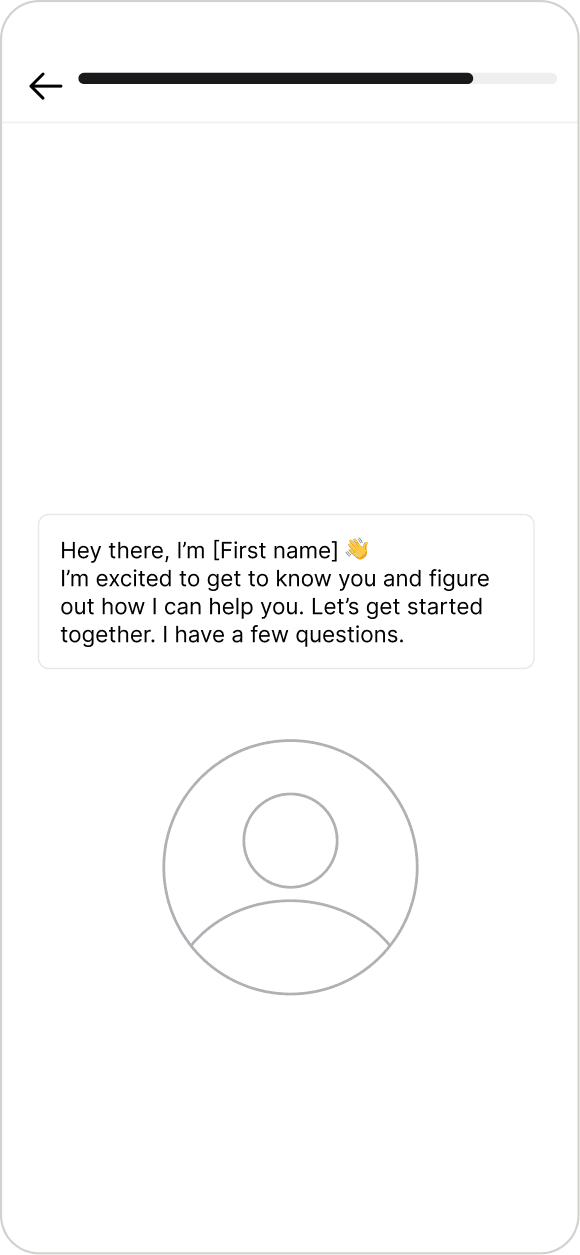
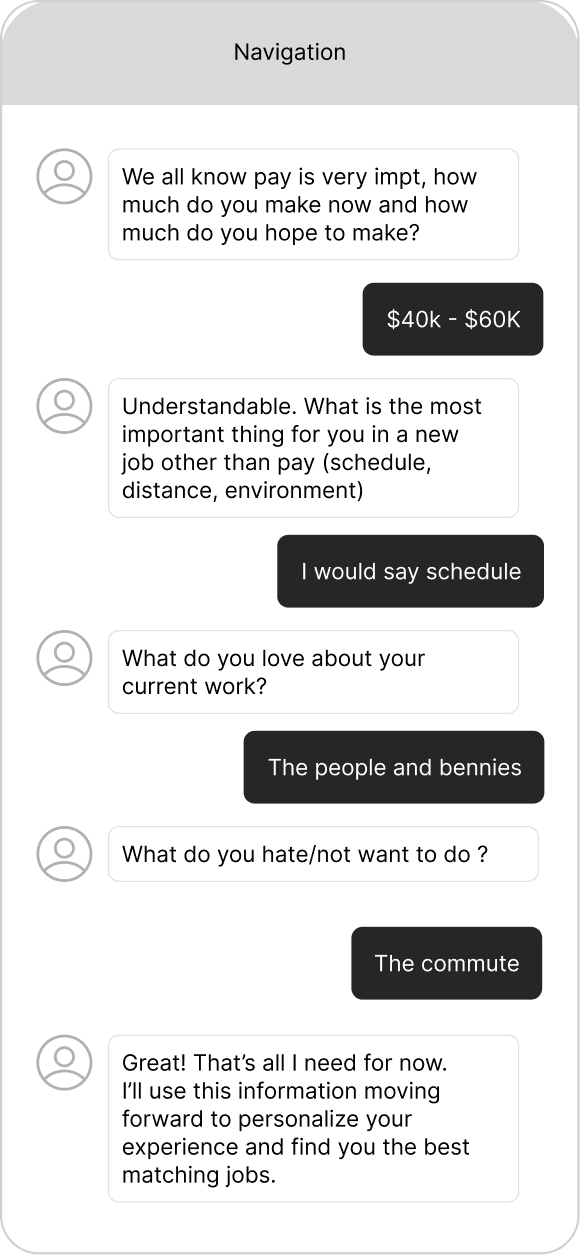
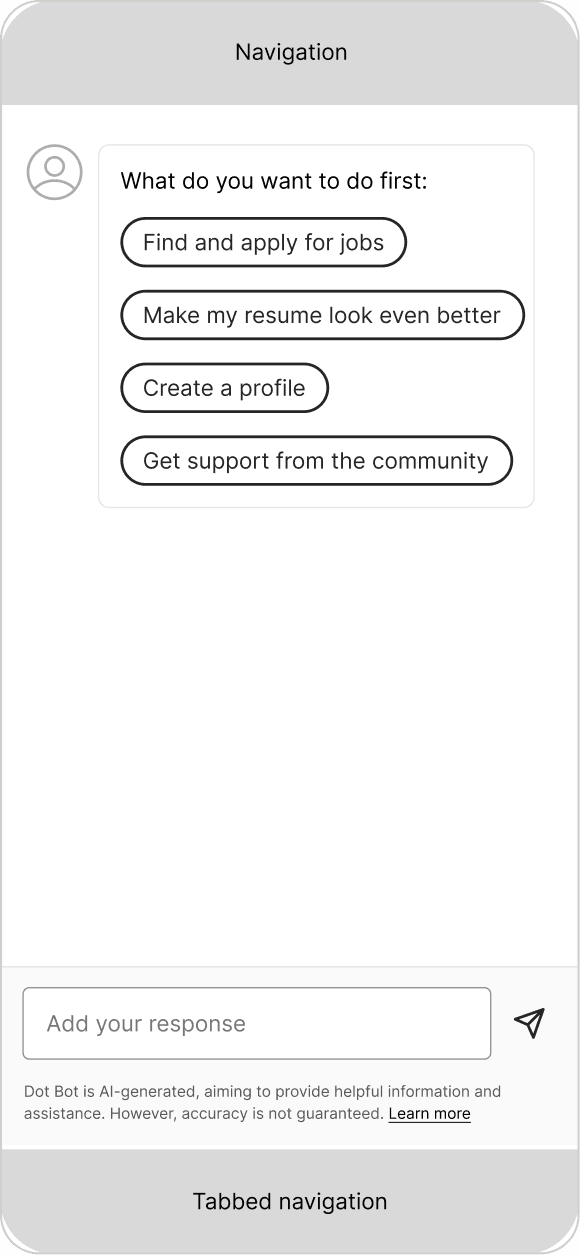
Onboarding as a short run of native screens. Members choose a coaching style and a personality up front, get matched to a coach, then drop into chat for intake and a first task.
Hypothesis
Familiar tap-to-select screens would lower the barrier before members ever talk to an AI, so more of them would make it to the first conversation.
Where it won
Fast and predictable. Choosing style and personality first set expectations for how the coach would talk.
Where it broke
Members were handed a coach instead of building one. Being matched to a persona, even with a Show me another option, stripped out the customization and personalization that made the coach feel like theirs.
Concept 2
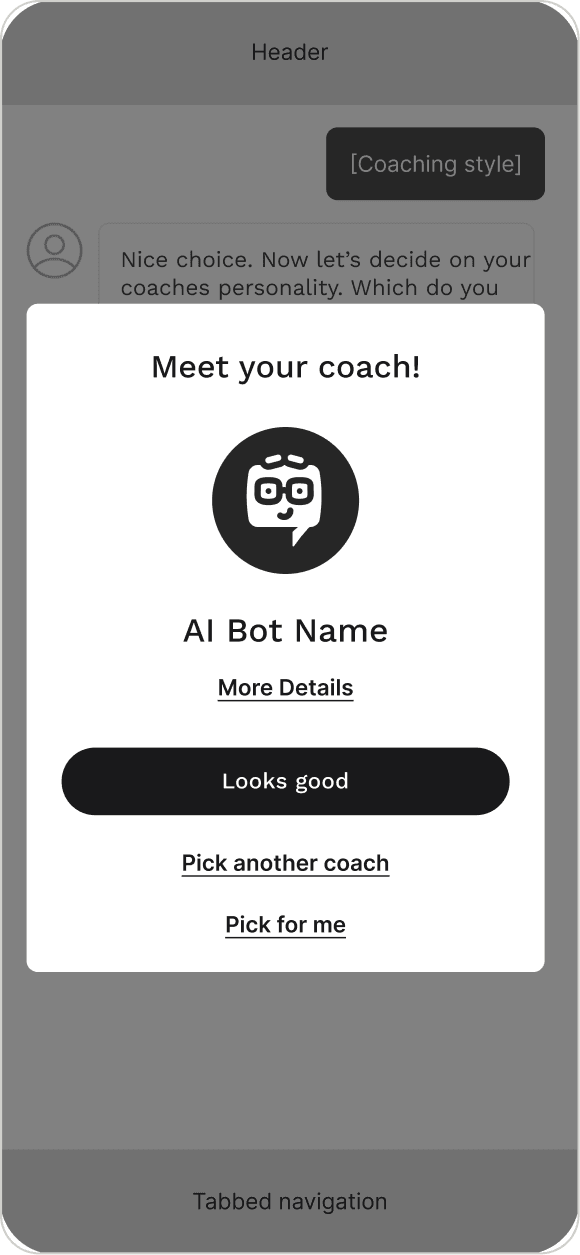
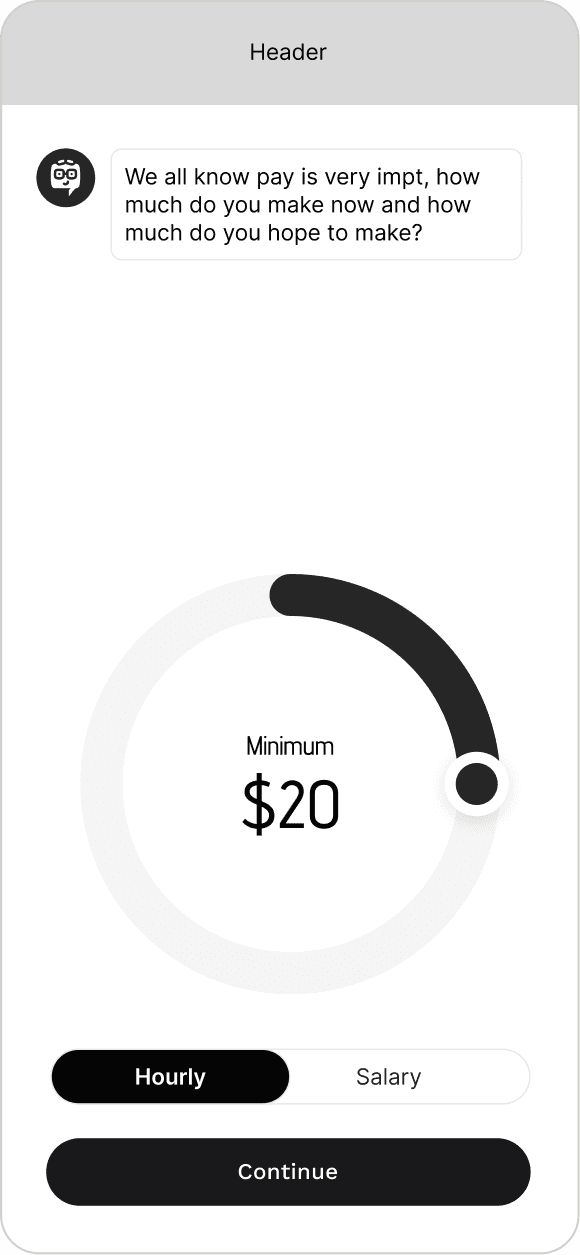
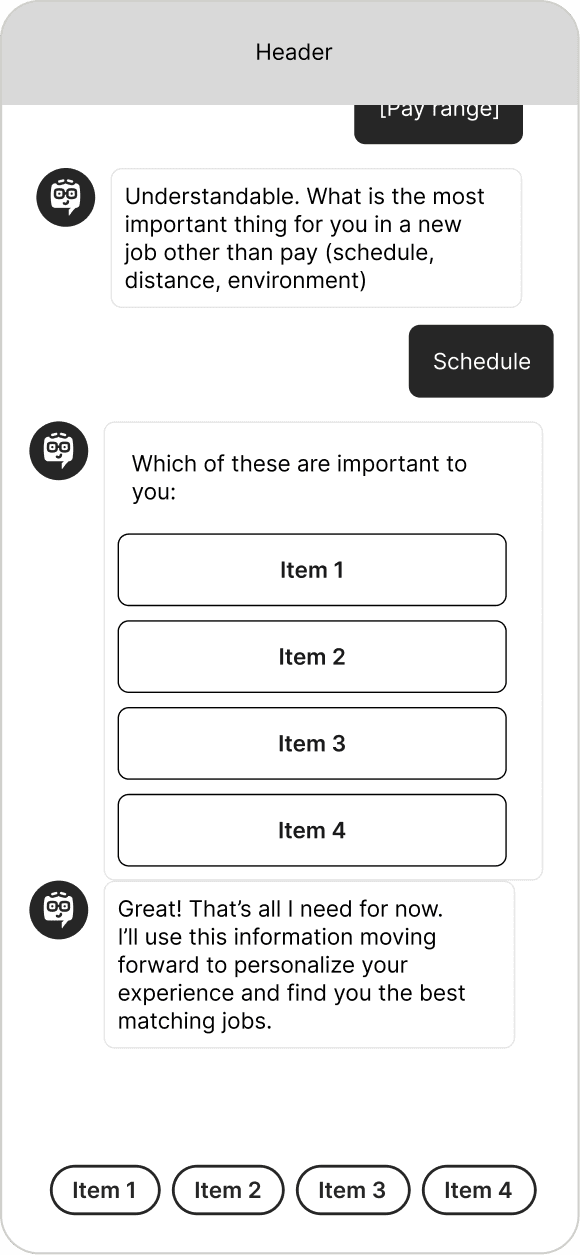
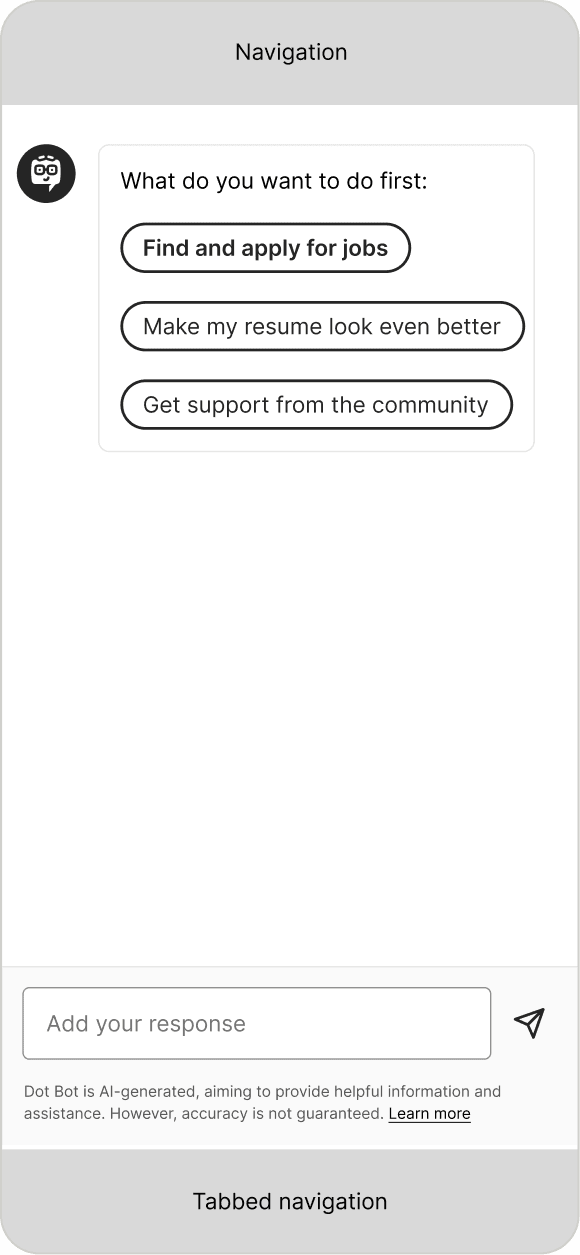
The whole onboarding is the conversation
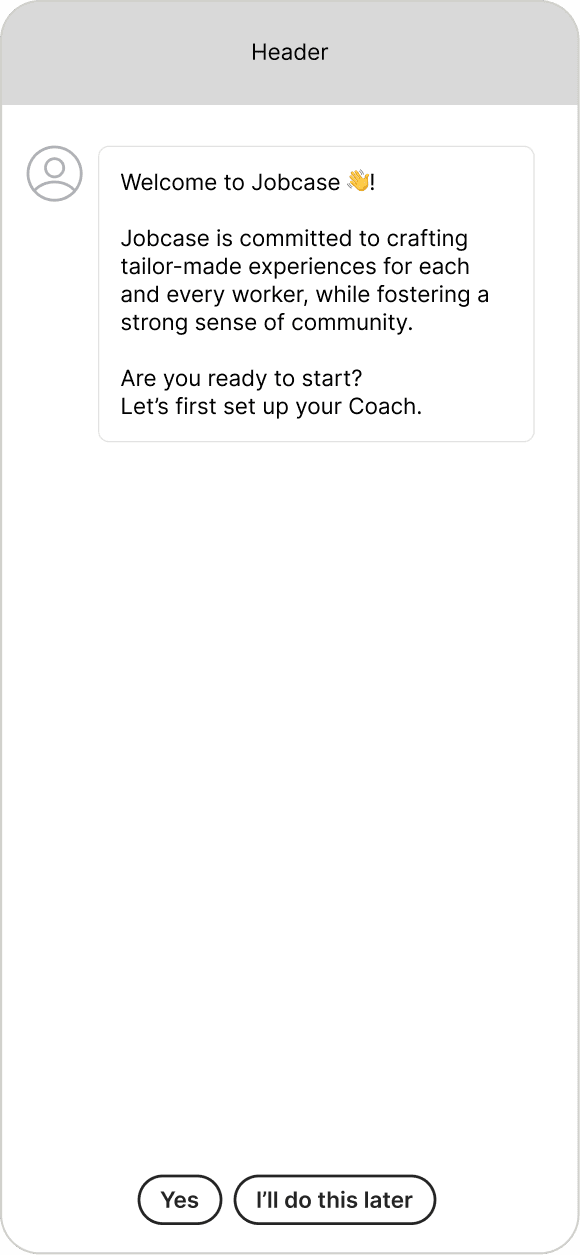
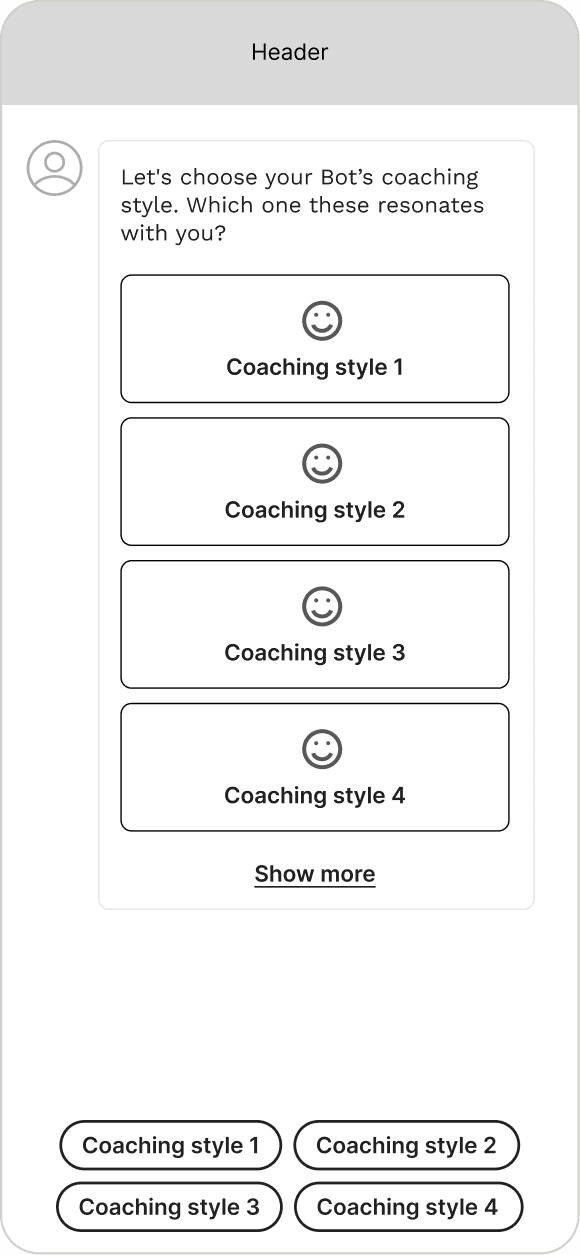
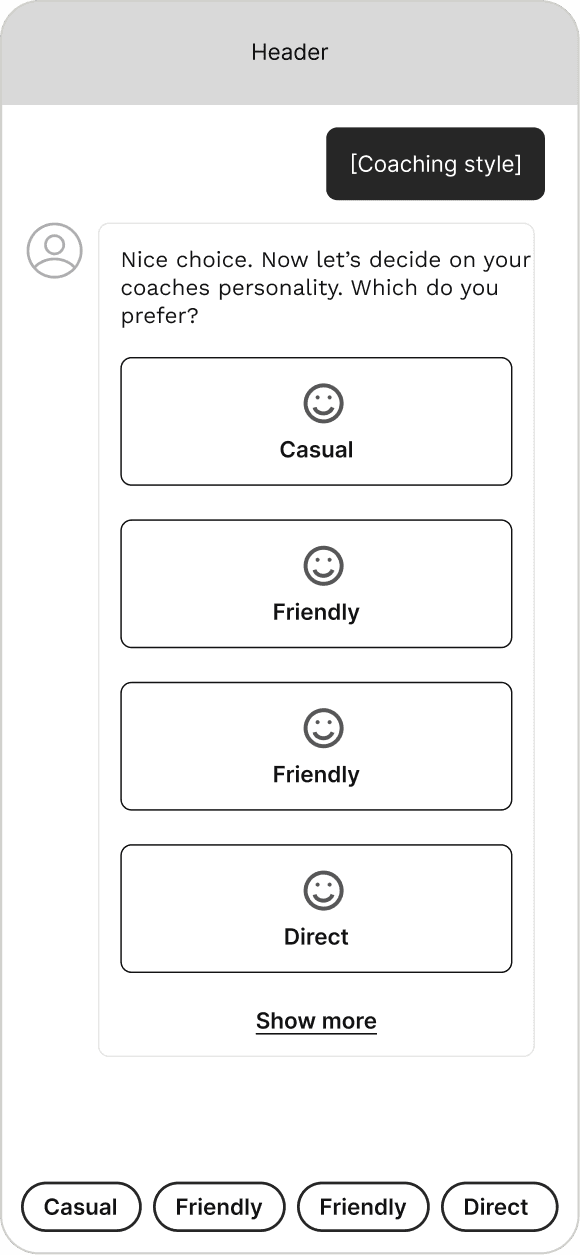
No setup screens. The coach is present from the very first message and collects style, personality, and intake inside the chat, using closed inputs so nobody has to type until they want to.
Hypothesis
If the coach runs its own onboarding, members would build trust early and be more willing to answer the harder intake questions later.
Where it won
The relationship starts immediately. Every choice doubles as a demo of what talking to the coach actually feels like.
Where it broke
The closed inputs cut both ways. Members liked the guidance, but ranked buttons and chips kept every answer on rails, and nobody wanted to be forced into a specific type of conversation with a coach that was supposed to adapt to them.
What carried forward
Neither concept shipped as drawn. The final onboarding took the setup screens from Concept 1, so members could pick a style and personality without a chat thread getting in the way, and borrowed the voice of Concept 2, so the coach speaks first the moment it exists. Closed inputs stayed for intake. Buttons replaced links in the welcome message.
Coach Creation Flow
Mapping the full first-launch experience before designing individual screens.
I mapped the full first-launch experience end to end before touching any individual screens. That covered the moment a new member opened the app all the way through to having a named, personalized coach waiting for them. The flow walked through account creation, coaching style and personality selection, naming, the coach reveal, and push notification opt-in.
- Step
- Account, either path
- Data source
- Coach reveal
Coach Development
18 coaches, shaped by the brand team.
Our brand team led the coach creation, building a reusable MidJourney prompt framework so every coach shared a consistent visual language. They landed on a deliberate half-illustrated, half-photographic look that signals the AI nature of the coaches without tipping into cold or uncanny territory.
The motion work was mine. Fully lifelike talking avatars weren’t financially feasible at scale, so motion on a stylized still had to close the gap: I used Runway to animate the brand team’s stills, giving each coach enough life to feel present in product. The visual style and the motion treatment had to agree with each other.






Animation & Motion
Static portraits felt impersonal. Runway brought them to life.
I experimented with Runway’s Act-1, Gen-3, and Gen-4 models to find a motion treatment that agreed with the half-illustrated style. Too little motion and the coaches stayed lifeless, too much and they crossed into exactly the uncanny territory the visual register was built to avoid. Finding that line took significant iteration:
- Short, simple prompts ("slight head tilt, natural smile") produced the most lifelike results
- Long descriptive prompts created uncanny distortions
- Idle animations like blinking, head tilts, and subtle smiles proved more scalable than full lip-sync
- Gen-3 and Gen-4 models outperformed Act-1 for natural motion quality

Short, simple prompt with natural idle motion

Long descriptive prompt with uncanny distortions
Onboarding Flow
A four-step customization sequence that made the coach feel truly theirs.
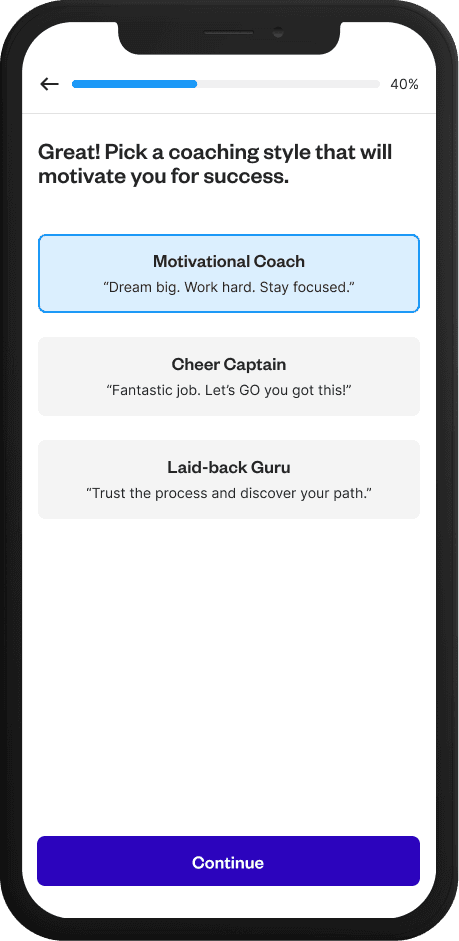
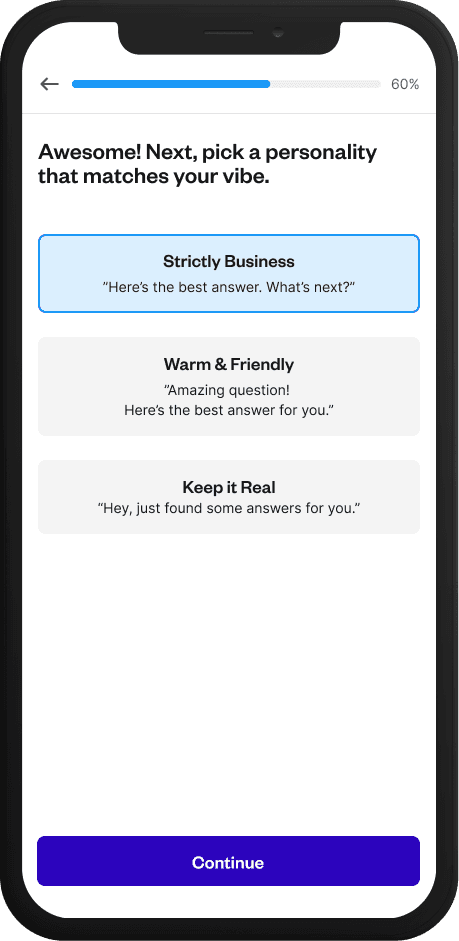
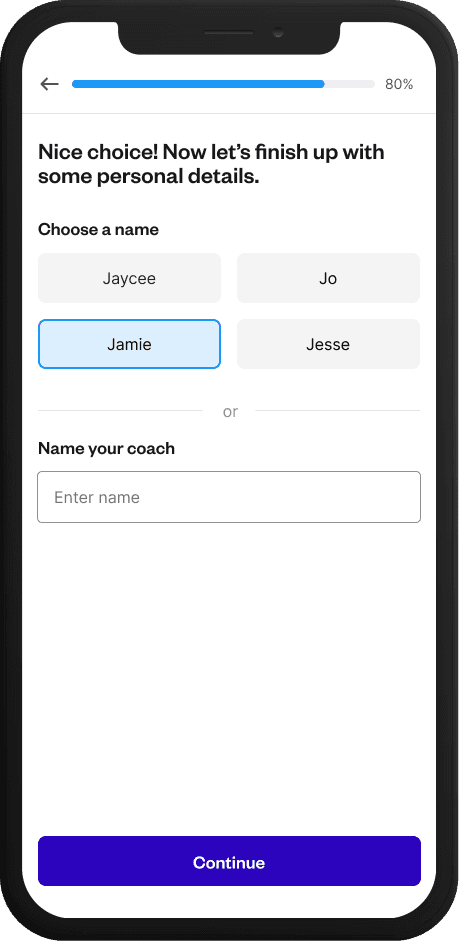
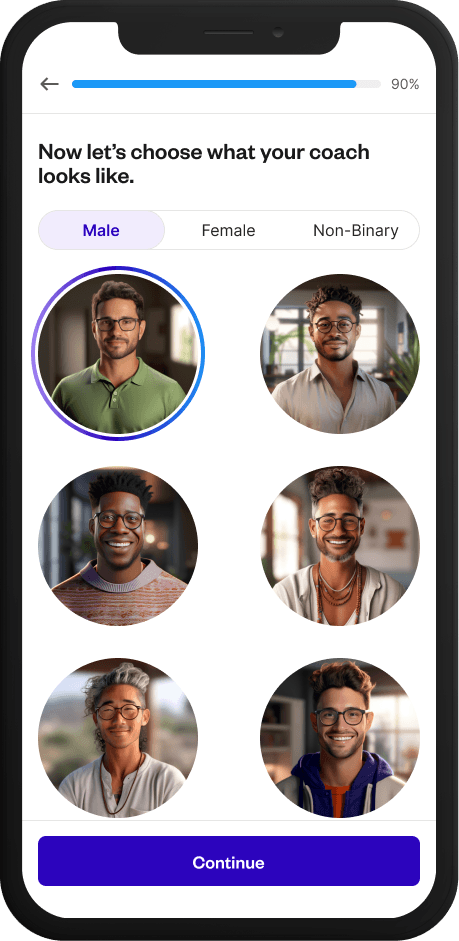
01
Coaching Style Selection
Members choose personality attributes that match the kind of coaching support they are looking for.
02
Personality Choice
Members select from available personalities to further shape how their coach communicates with them.
03
Coach Naming
Users name their coach to reinforce a sense of ownership and personal connection.
04
Visual Selection
Based on style and personality choices, relevant coach designs are surfaced from the curated library.
Chat Experience
Designing conversations that guide, not just respond.
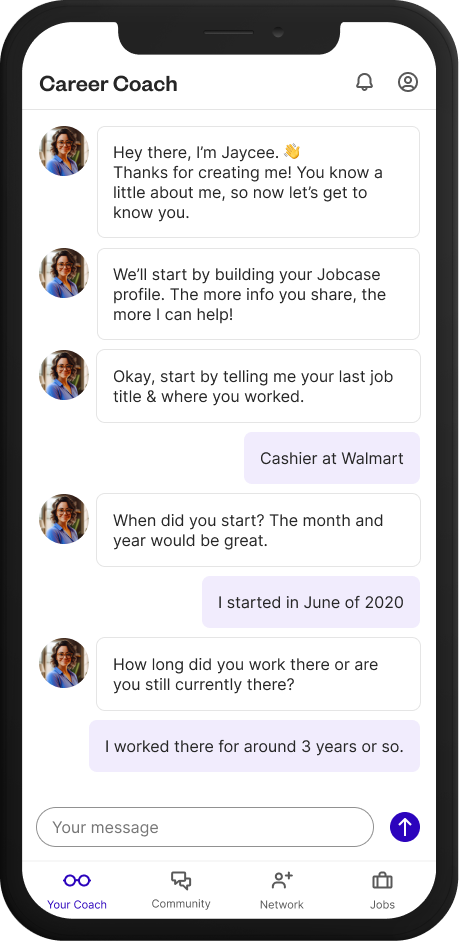
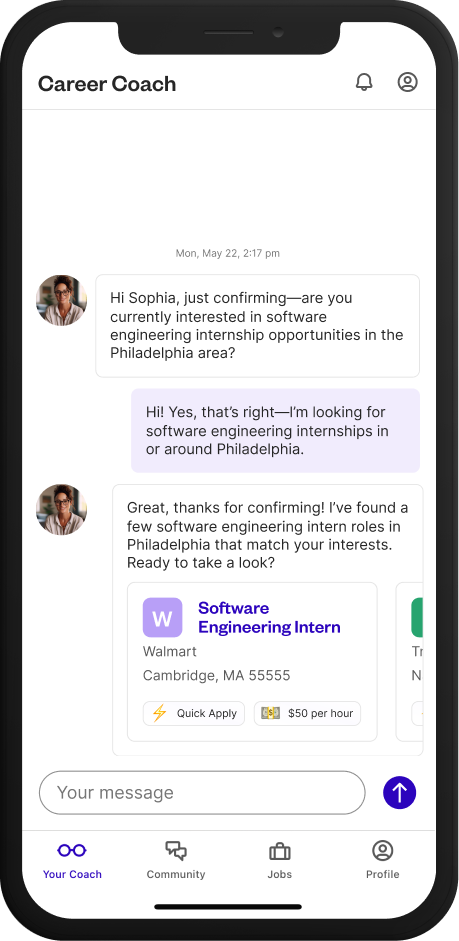
Once onboarding was complete, the experience shifted into an ongoing relationship between the member and their coach. The challenge was designing a chat experience that felt helpful, trustworthy, and action-oriented, rather than reactive or generic.
01
Proactive Guidance
Designed the coach as a guide, proactively suggesting next steps like improving a resume or exploring relevant jobs to reduce decision fatigue.
02
Actionable Momentum
Structured conversations into small, actionable steps with concise responses, reinforcing progress through follow-ups and subtle encouragement.
03
Real-World Persistence
Designed for real-world usage patterns with persistent context and proactive re-engagement. When members returned, the coach picked up naturally, surfacing timely prompts like searching for new jobs or following up on recent activity to keep momentum going.
User Engagement & Feedback Analysis via Focus Groups
Testing the beta app with real members of the Urban League of Massachusetts.
The research set out to understand user preferences, behaviors, pain points, and overall satisfaction with the native beta app’s key features: the coach, job listings, community engagement, and the network tab. The focus was on how these features resonated with members from the Urban League of Massachusetts (ULEM) during their active job search.
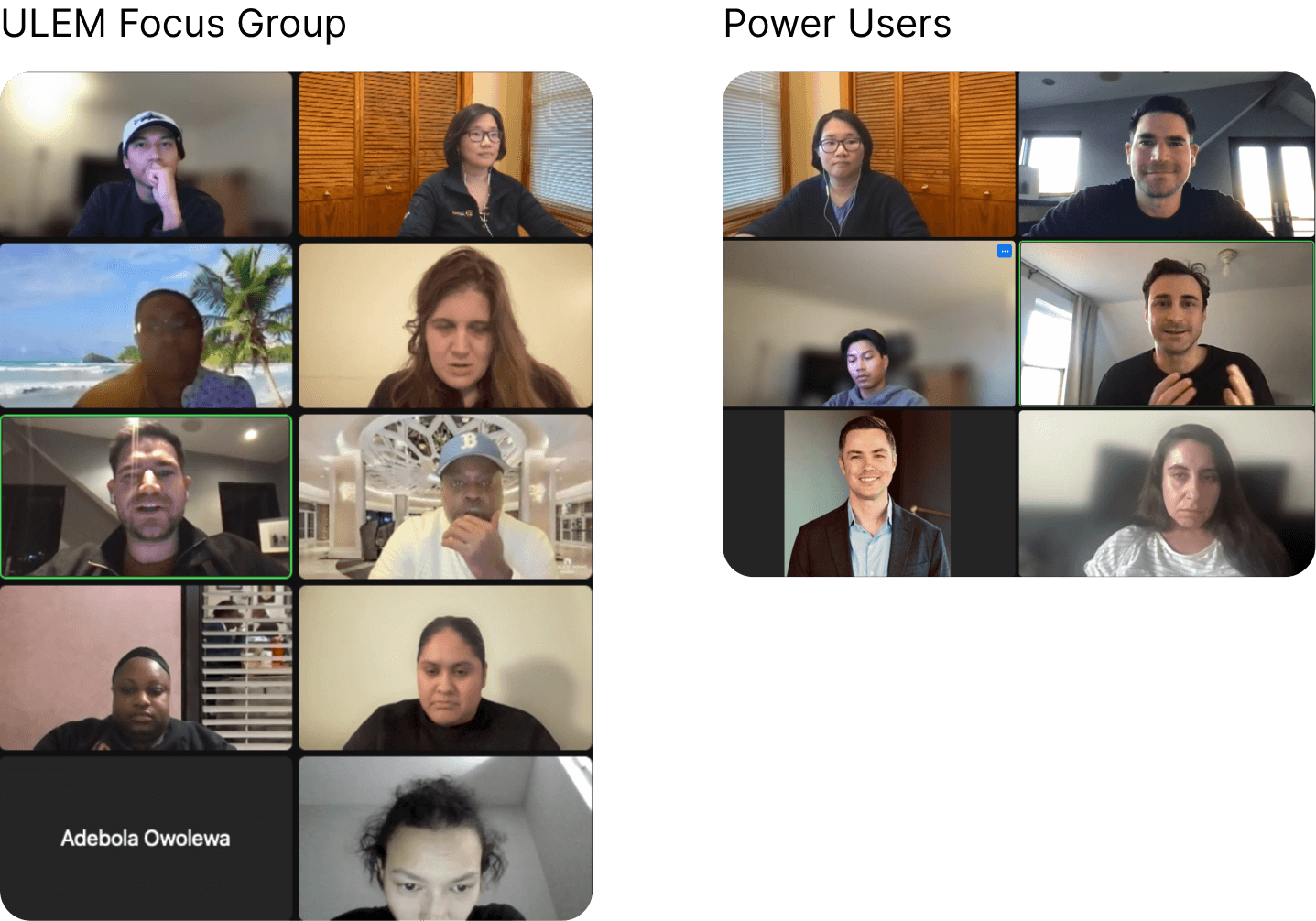
The study involved two 1-hour virtual focus group sessions, one with 7 ULEM members new to Jobcase, and one with 7 Jobcase power-user SMEs. Participants explored specific areas of the app over a multi-week period. ULEM members were selected for their active involvement in job seeking and their perspective on the local Massachusetts job market. They worked through tasks such as searching for jobs, interacting with the coach, joining community discussions, and using the network tab. A post-engagement survey followed to validate initial findings and capture overall satisfaction metrics.
Focus Group Findings
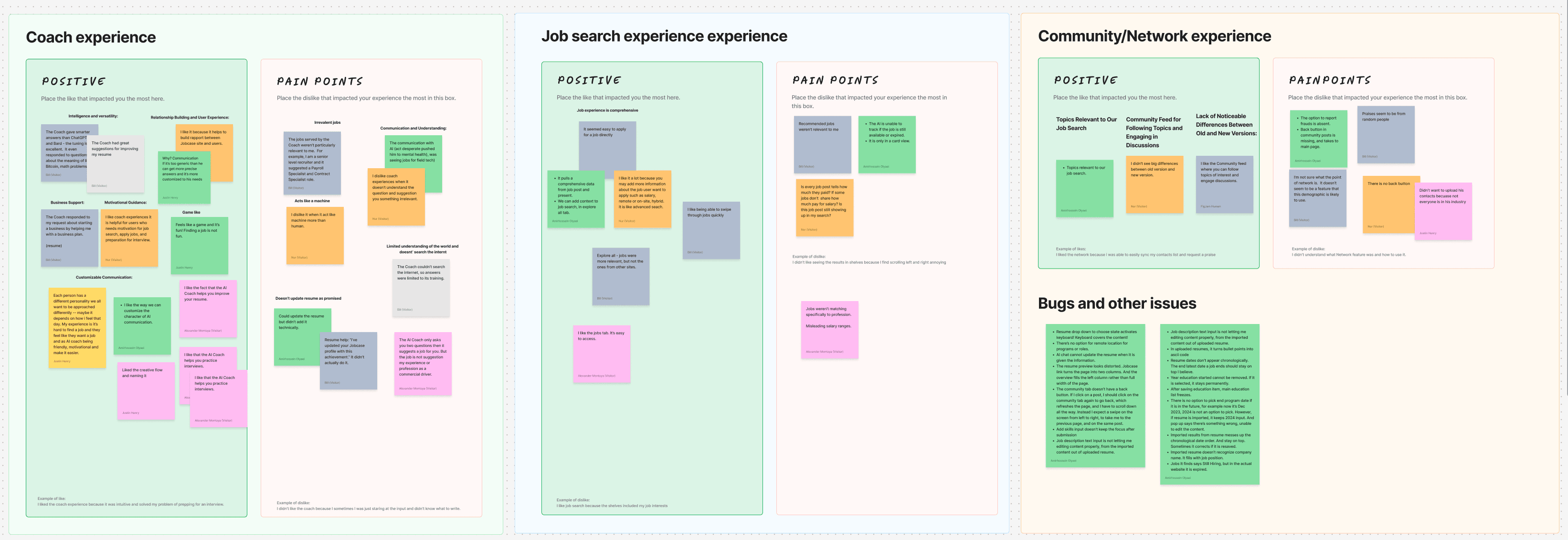
Testers surfaced several areas for improvement across the coach’s functionality.
- Sharper profile understanding. The coach should distinguish aspirational goals from immediate job needs, and reflect that distinction in the user profile.
- Expanded knowledge reach. Testers wanted the coach to search the web to help with educational needs and chart a path to next steps.
- Smarter follow-ups. Dig deeper with follow-up questions, prompt profile updates after three unsuccessful attempts, and let users give feedback directly in the UX about their job experiences.
- Better networking. Surface connection recommendations with clear reasoning, and drop surfaces that aren’t performing.
- More hands-on career help. Assist with resume editing and offer more personalized recommendations.
These findings came out of a beta study, so they weren’t bugs to fix, they were the shape of version two. They fed the roadmap directly as the coach’s next capability set: deeper profile understanding, web reach, and better follow-up logic. The research didn’t close the project out, it set the direction for where the coach went next.
Results
0%
More job applications submitted by members guided by a coach compared to those without one.
0 in 3
Members interacted with their coach every day during the first 15 days after onboarding.
0×
Engagement lift for coach-guided members vs. those without one.
0%
Members kept their original coach after their first week instead of swapping to a different persona, a strong signal that the onboarding flow matched members to the right fit.
Business Impact
The coach moved Jobcase’s core monetization funnel, not just an engagement metric.
Applications are Jobcase’s core value event: they’re what employers pay for and what the matching engine runs on. A 22% application lift for coached members meant the coach wasn’t a retention feature, it was a funnel accelerant on the member side of the marketplace. Daily coach interaction (1 in 3 members in the first 15 days) also lifted session frequency, the leading indicator behind Jobcase’s DAU and re-engagement goals. The results gave leadership the evidence to make conversational AI a pillar of the member experience roadmap rather than a one-off experiment, and the persona-matching approach validated here carried directly into later AI work across the platform.
Get In Touch